
PAM tools control and monitor access to privileged accounts and identities. Best for: Venice for JIT access and zero standing privileges across all environments; Palo Alto Networks Idira for enterprise suites spanning vaulting and endpoints; Teleport for certificate-based engineering access; Delinea for credential vaulting at scale.
What Are PAM Tools?
Privileged Access Management (PAM) tools are cybersecurity solutions that control, secure, and monitor access to privileged accounts, identities, and sensitive systems. They help organizations manage users and identities with elevated permissions, including IT administrators, DevOps engineers, service accounts, contractors, and AI agents. By restricting privileged access, PAM tools reduce the risk of credential theft, unauthorized changes, insider threats, and attacks that exploit excessive permissions.
Traditional PAM tools primarily focused on storing administrative credentials in secure password vaults, rotating passwords, and recording privileged sessions. Modern PAM solutions extend these capabilities with just-in-time (JIT) access, automated privilege elevation, zero standing privileges (ZSP), and contextual access controls. These approaches allow organizations to grant elevated permissions only when needed and automatically revoke them when a task is completed or an access window expires.
Core features of PAM tools:
- Continuous discovery of identities and entitlements: Identifies privileged users, service accounts, machine identities, and AI agents across cloud, SaaS, and on-premises environments. Detects excessive permissions, dormant accounts, and potential privilege escalation paths.
- Just-in-time access and zero standing privileges: Grants temporary, task-specific elevated permissions based on access policies and approval workflows. Automatically revokes privileges when tasks finish or access windows expire.
- Credential vaulting and password rotation: Secures privileged passwords, SSH keys, and API credentials in encrypted vaults. Automates credential rotation and supports credential injection or short-lived authentication methods to reduce exposure.
- Session monitoring and recording: Tracks privileged commands, administrative changes, and access events. Records supported sessions, detects suspicious activity, and maintains audit trails for investigations and compliance.
- AI agent access control and governance: Discovers AI agents, restricts their access to approved tools and resources, and enforces authorization for individual actions and API calls. Links agent activity to accountable identities and requires human approval for high-risk operations.
In this article:
- PAM Tools at a Glance
- How PAM Tools Work
- Core Features of PAM Tools
- Notable PAM Tools
- Best Practices for Implementing PAM Tools
PAM Tools at a Glance
The table below summarizes the key differences between the PAM tools covered in this guide. We explore each tool in more detail in the sections that follow.
How PAM Tools Work
Discovering Privileged Accounts and Entitlements
PAM tools discover accounts and identities with elevated permissions across an organization's IT environment. These include domain administrators, cloud administrators, database administrators, service accounts, machine identities, and AI agents. Discovery mechanisms may use integrations with identity providers, cloud APIs, directories, and infrastructure management systems to identify privileged identities and their associated entitlements.
The tools analyze permissions to determine which identities can:
- Access sensitive systems
- Modify configurations
- Manage other users
- Retrieve confidential information
They can also identify excessive privileges, dormant accounts, shared administrator credentials, and unmanaged identities that create security risks. Some modern platforms continuously update this inventory as identities, permissions, and infrastructure change.
Vaulting, Rotating, and Destroying Privileged Credentials
PAM tools protect privileged credentials by storing them in encrypted vaults and controlling how they are accessed and used. Credential vaulting reduces the need for administrators to know, share, or manually manage sensitive passwords, API keys, SSH keys, and other authentication secrets. Authorized users can access privileged systems through credential injection or session brokering without directly exposing the underlying credentials.
To reduce the risk of credential theft and reuse, PAM solutions can automatically rotate privileged credentials according to predefined schedules or security events. For example, a tool may change an administrator password after a privileged session ends, following a suspected compromise, or when an employee leaves the organization. Automated rotation helps limit the useful lifespan of stolen credentials and reduces the operational burden of managing shared secrets.
Modern PAM platforms can also eliminate or destroy credentials when they are no longer needed. Instead of relying on persistent passwords or long-lived secrets, organizations can use ephemeral credentials, short-lived tokens, or certificate-based authentication that expires or is revoked after a task. This approach is particularly valuable for automated workloads and AI agents that require temporary access to sensitive systems.
Granting, Brokering, and Revoking Privileged Access
PAM tools enforce policies that determine when identities can receive privileged access and what actions they can perform. Traditional solutions often broker access through password vaults, credential injection, or session proxies, allowing administrators to access systems without directly handling privileged credentials. Access requests may require approval, multifactor authentication (MFA), or additional verification based on organizational policies.
Modern PAM platforms can use just-in-time access to grant temporary permissions for tasks or resources. For example, a DevOps engineer who needs to modify a production database can request elevated access for a limited period. The PAM system:
- Evaluates the request against predefined policies
- Verifies the user's identity
- Grants the required permissions
Some solutions also consider contextual signals such as device security, user behavior, and the sensitivity of the requested resource. After the approved period expires or the task is completed, the PAM tool automatically revokes the elevated permissions. Solutions that support zero standing privileges avoid leaving administrative access permanently assigned to users.
Monitoring and Auditing Privileged Activity
PAM tools monitor privileged sessions and activities to detect unauthorized access, suspicious behavior, and potential misuse of administrative permissions. Depending on the platform and access method, monitoring capabilities may include session recording, command logging, credential usage tracking, and detailed audit trails. These records help security teams understand which identities accessed sensitive systems, when access occurred, and what actions were performed.
Advanced PAM solutions can identify anomalous privileged activity by integrating with:
- Security information and event management (SIEM)
- User and entity behavior analytics (UEBA)
- Threat detection platforms
For example, a PAM tool may generate an alert when an administrator accesses an unfamiliar production environment, attempts to execute a prohibited command, or performs sensitive operations outside normal working hours. Some platforms can automatically terminate sessions, revoke permissions, or require additional authentication when suspicious behavior is detected.
Core Features of PAM Tools
Continuous Discovery of Identities and Entitlements
PAM tools continuously identify privileged accounts, identities, and permissions across an organization's infrastructure. This includes human administrators, service accounts, machine identities, contractors, and AI agents with access to sensitive systems. Discovery capabilities use integrations with identity providers, cloud platforms, directories, and infrastructure APIs to maintain an inventory of privileged identities and their entitlements.
Advanced solutions analyze permission relationships to identify:
- Excessive privileges
- Dormant accounts
- Unmanaged administrative access
- Potential privilege escalation paths
For example, a PAM platform might discover that a service account has administrative permissions across multiple cloud environments despite requiring access to only one application. Security teams can use these findings to reduce unnecessary permissions and prioritize high-risk identities.
Just-in-Time Access and Zero Standing Privileges
Just-in-time (JIT) access allows organizations to grant elevated permissions only when they are needed for a task. Instead of maintaining permanent administrative privileges, users request temporary access that is evaluated against predefined security policies. PAM tools can automatically approve low-risk requests or route sensitive requests through approval workflows involving managers, system owners, or security teams.
Zero standing privileges (ZSP) extends this approach by eliminating persistent privileged entitlements wherever operationally feasible. For example, a cloud engineer who needs to troubleshoot a production server can receive temporary administrative permissions that expire after a defined period. Once the task is completed or the access window closes, the PAM platform revokes the permissions automatically.
Modern solutions can also incorporate contextual information when making access decisions, including:
- Device posture
- Identity risk
- Requested resources
- Behavioral signals
Combining JIT access with ZSP reduces the time during which privileged permissions are available for attackers to exploit, while enabling legitimate users to perform administrative tasks without unnecessary delays.
Credential Vaulting and Password Rotation
Credential vaulting protects privileged passwords, SSH keys, API credentials, and other sensitive authentication secrets by storing them in a centralized, access-controlled repository. Instead of allowing administrators to share or manually manage privileged credentials, PAM tools restrict who can retrieve or use them and maintain records of credential access.
Password rotation automatically updates privileged credentials according to predefined policies or security events. For example, a PAM solution might rotate a database administrator password:
- After a privileged session ends
- When an employee leaves the organization
- When credential compromise is suspected
This reduces the likelihood that exposed or previously used credentials can be reused for unauthorized access. Some PAM platforms also support credential injection, allowing users to establish privileged sessions without viewing or copying the underlying passwords.
Session Monitoring and Recording
Session monitoring provides visibility into activities performed by users and identities with elevated permissions. PAM tools can capture session metadata, administrative commands, authentication events, and interactions with sensitive systems. Depending on the platform, they may also record graphical sessions or terminal activity to create detailed audit trails for security investigations and compliance assessments.
Advanced session monitoring capabilities can identify suspicious behavior, such as:
- Unexpected privilege escalation
- Unauthorized configuration changes
- Attempts to access restricted resources
For example, a PAM platform might detect an administrator executing an unusual command on a production server and generate an alert. Some solutions can terminate sessions, block specified commands, or require additional verification when security policies are violated.
AI Agent Access Control and Governance
Modern PAM tools extend privileged access controls to AI agents that autonomously interact with enterprise applications, APIs, databases, and infrastructure. Unlike traditional human users, AI agents can execute sequences of actions, invoke external tools, and access sensitive resources without direct human involvement in every operation. PAM solutions help organizations discover these agents, identify their associated human and machine identities, and enforce policies governing which resources and actions they are authorized to access.
AI access control requires more granular authorization than traditional session-based permissions. Advanced PAM platforms can evaluate individual AI agent tool calls and actions based on:
- Their intended purpose
- The requested operation
- Resource sensitivity
- Organizational context
For example, an AI agent authorized to retrieve customer records for a support task should not automatically receive permission to modify those records or export an entire database. Intent-based policies and least-privilege enforcement help ensure that agents operate within their approved responsibilities, even when their workflows change dynamically.
Notable PAM Tools Compared
How we selected these tools: We shortlisted PAM tools based on privileged account discovery, just-in-time access and zero standing privileges, credential vaulting and rotation, session monitoring and recording, and coverage for human, machine, and AI agent identities.
Modern Just-in-Time and Zero Standing Privilege PAM Platforms
1. Venice

Best for: Enterprises moving from vault-based PAM to lightweight JIT access
Strengths: Estate-wide discovery, contextual approvals, AI agent gateway
Things to consider: Newer platform with a short public review history
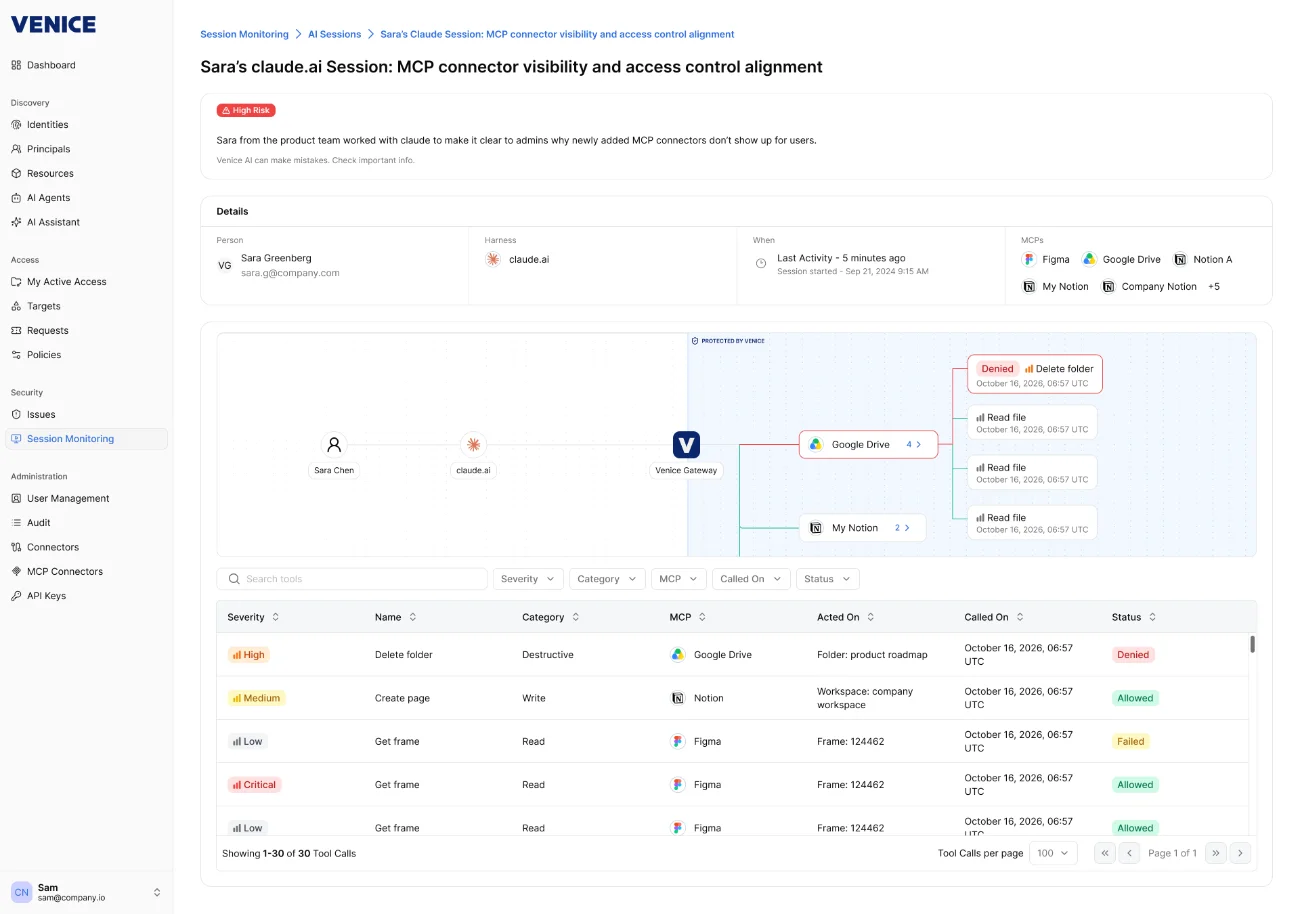
Venice is a unified PAM platform for human, machine, and AI agent identities. It discovers standing privileges across the estate and replaces them with just-in-time (JIT) access that is granted for a task and removed when no longer needed, across cloud, SaaS, on-premises, and hybrid environments.
The platform is lightweight and does not rely on redundant vaults. Users request, approve, and enter systems from a single browser tab, while policies decide when access is automatic, manual, or blocked. Venice also includes a runtime identity gateway that evaluates AI agent calls against each agent’s declared task.
Key features include:
- Estate-wide privilege discovery: Identifies and measures standing privileges for every identity from day one and keeps them in a single source of truth.
- Universal access requests: Lets users request, approve, and enter cloud, on-premises, and SaaS systems from one browser tab.
- Contextual, policy-driven approvals: Policies decide whether access is automatic, requires manual approval, or is blocked, based on identity, task, and risk context.
- One-click JIT onboarding: Converts an existing server, role, or resource into JIT access without deploying agents or configuring a vault.
- AI-assisted migration from legacy PAM: Analyzes existing vaults, shared accounts, and standing permissions and converts them into policy-driven JIT access.
- Shared account support: Keeps shared accounts where they are still needed, rotates them, and upgrades static access into dynamic policies over time.
- Runtime identity gateway for agents: Sits between AI agents and resources, checks each call against the agent’s declared task, and keeps credentials out of agents’ hands.
- Session recording and audit center: Links every request to a decision, action, and monitored session tied to a real identity, with a ZSP dashboard showing standing access and progress.
Limitations (based on publicly available sources):
- Phased transition for some environments: Organizations with many shared accounts may run shared-account rotation alongside JIT policies while they complete the move to ephemeral access.
2. Apono

Best for: Cloud and DevOps teams granting JIT access via Slack or CLI
Strengths: Runtime role creation in native cloud and database policy
Things to consider: Now part of 1Password; UI and onboarding feedback
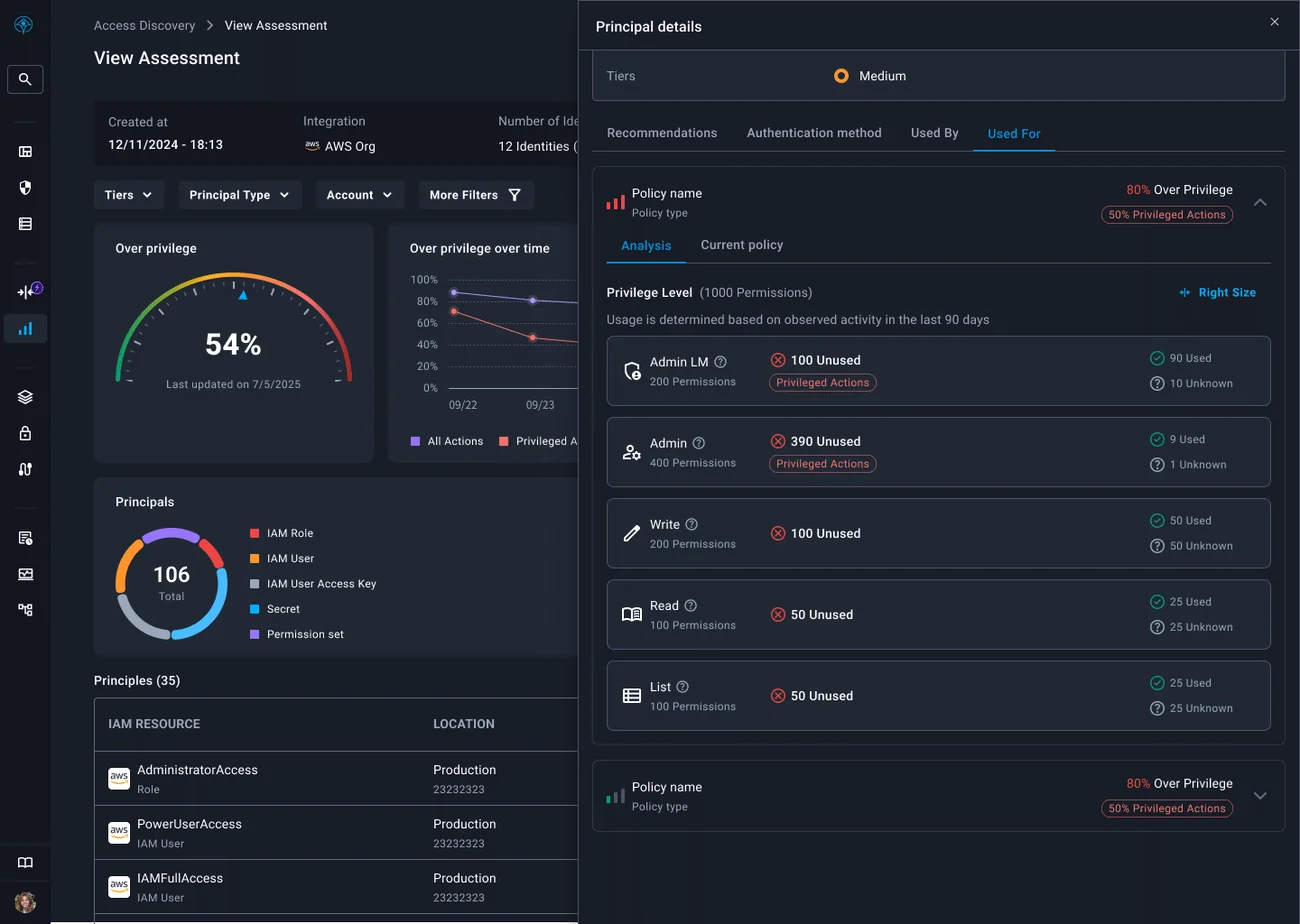
Apono is a cloud-native PAM platform, now part of 1Password, that grants JIT access to humans, machines, and AI agents and revokes it automatically. Instead of maintaining a library of pre-built roles, it creates IAM roles and permissions at request time in the native policy language of each platform.
The platform is delivered as three modules that share one policy engine, privilege orchestrator, and audit trail: Infrastructure Guard for on-premises and hybrid infrastructure, Privileged Cloud for cloud platforms, and Agent Privilege Guard for AI agents.
Key features include:
- Runtime privilege orchestration: Creates scoped roles and permissions on demand in AWS, Azure, GCP, Kubernetes, and database policy languages, then removes them when work ends.
- Dynamic guardrails: Evaluates who is requesting, what they want to do, which environment they are touching, and the risk of the action before granting access.
- Agent Privilege Guard: Applies intent-based access control (IBAC), where each agent declares its intent and Apono compares it with actual runtime actions.
- Access in existing workflows: Engineers request and receive access through Slack, Microsoft Teams, Jira, the CLI, or Apono Assist.
- Infrastructure Guard: Combines account vaulting, MFA-enforced access requests, and guardrails for databases, Kubernetes, and compute in on-premises and hybrid environments.
- Unified audit and compliance: Logs every request, approval, grant, and revocation with business context and generates AI session summaries and anomaly alerts.
- Out-of-the-box integrations: Connects to more than 85 cloud, identity, infrastructure, DevOps, and ITSM tools, including Okta, Entra ID, Snowflake, and PagerDuty.
Limitations (as reported by users on G2):
- Interface gaps: Some screens lack basic navigation elements such as back or cancel buttons, and some workflows are not straightforward.
- Onboarding feedback: Error messages during initial connection can be unclear, and some users needed vendor support to resolve setup issues.
- Event reporting: Some users found event reporting incomplete, requiring manual compilation of data.
- Feature behavior differences: Some teams had to rework configurations after features operated differently than expected.
Source: Apono
3. Britive

Best for: Multi-cloud teams enforcing ZSP for humans, NHIs, and agents
Strengths: Ephemeral cloud permissions enforced natively, no proxy
Things to consider: Users request more analytics dashboards
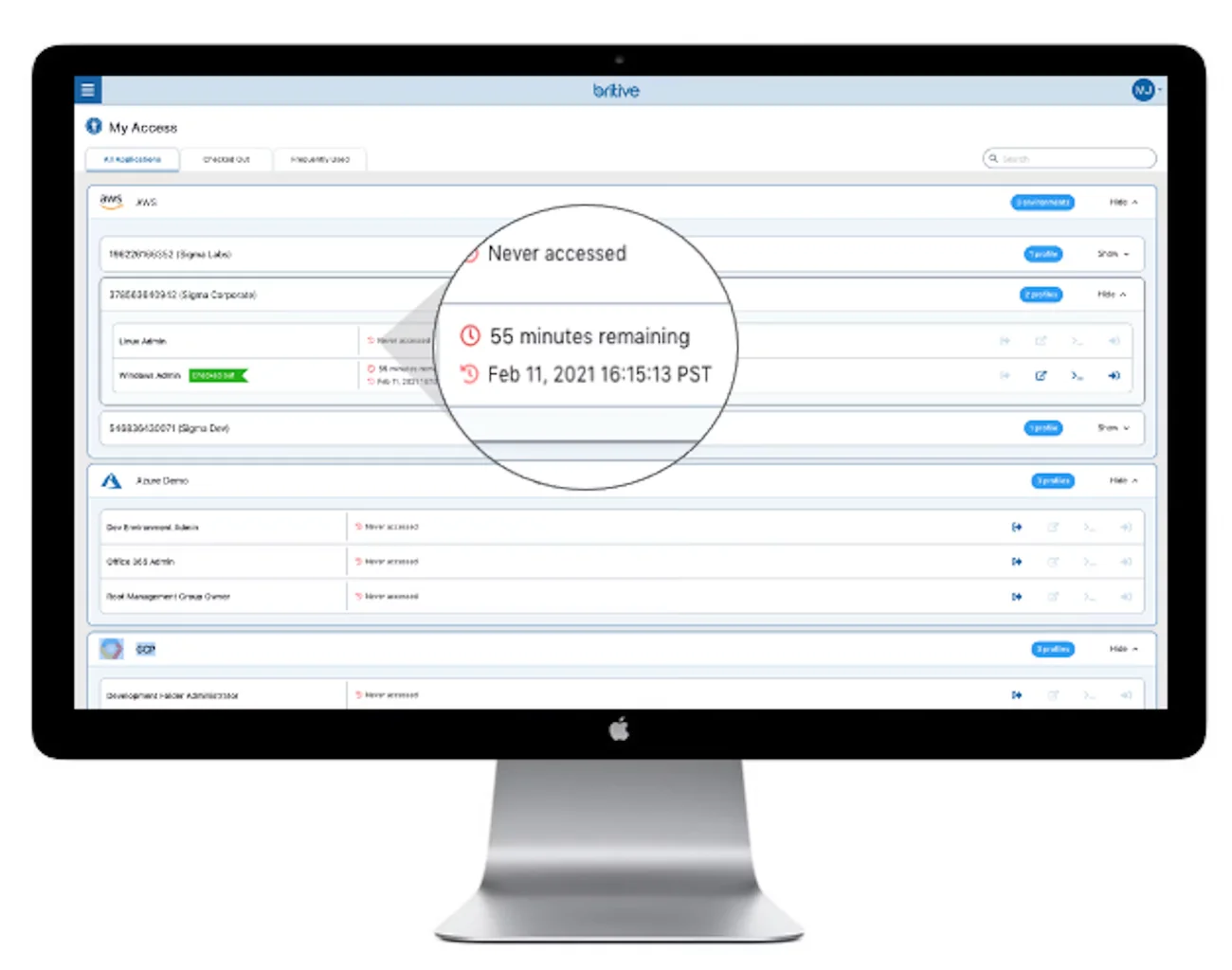
Britive is a runtime PAM platform that creates privileged access at the moment it is needed and removes it when the task ends. It covers AWS, Azure, GCP, OCI, Kubernetes, SaaS applications, databases, servers, and on-premises infrastructure.
Authorization decisions are made centrally and enforced natively at the resource, without a proxy in the data path. Britive ARC extends the same runtime model to AI agents, evaluating each agent action and controlling access down to individual commands.
Key features include:
- JIT ephemeral permissions: Provisions least-privilege access at runtime across AWS, Azure, GCP, and OCI and removes it automatically when the task ends.
- Policy-based runtime authorization: Assesses each request against identity, device, task, and other context, and re-evaluates authorization as conditions change.
- Native enforcement without a proxy: Applies access decisions directly at the target resource rather than routing traffic through an intermediary.
- Britive ARC for AI agents: Discovers agents, assigns each a human owner and policies, and authorizes actions per task, including an MCP gateway for tool access.
- Ephemeral access for NHIs: Removes permanent credentials from service accounts, workloads, pipelines, and CI/CD jobs and issues access when a job runs.
- Hybrid and on-premises coverage: Uses a proxyless connector for private cloud and on-premises resources, with support for vaulted credentials and secrets.
- Audit trail at grant time: Records every decision, grant, scope, and expiry as access happens, with session monitoring and account drift detection.
Limitations (as reported by users on Gartner Peer Insights):
- Analytics dashboards: Users would like additional analytics dashboards beyond the current reporting.
- Environment-specific guidance: Getting detailed explanations of how features interact with a particular environment can take time.
Source: Britive
4. Teleport

Best for: Engineering teams securing SSH, Kubernetes, and database access
Strengths: Short-lived certificates replace static credentials
Things to consider: No credential vault; setup and docs have a learning curve
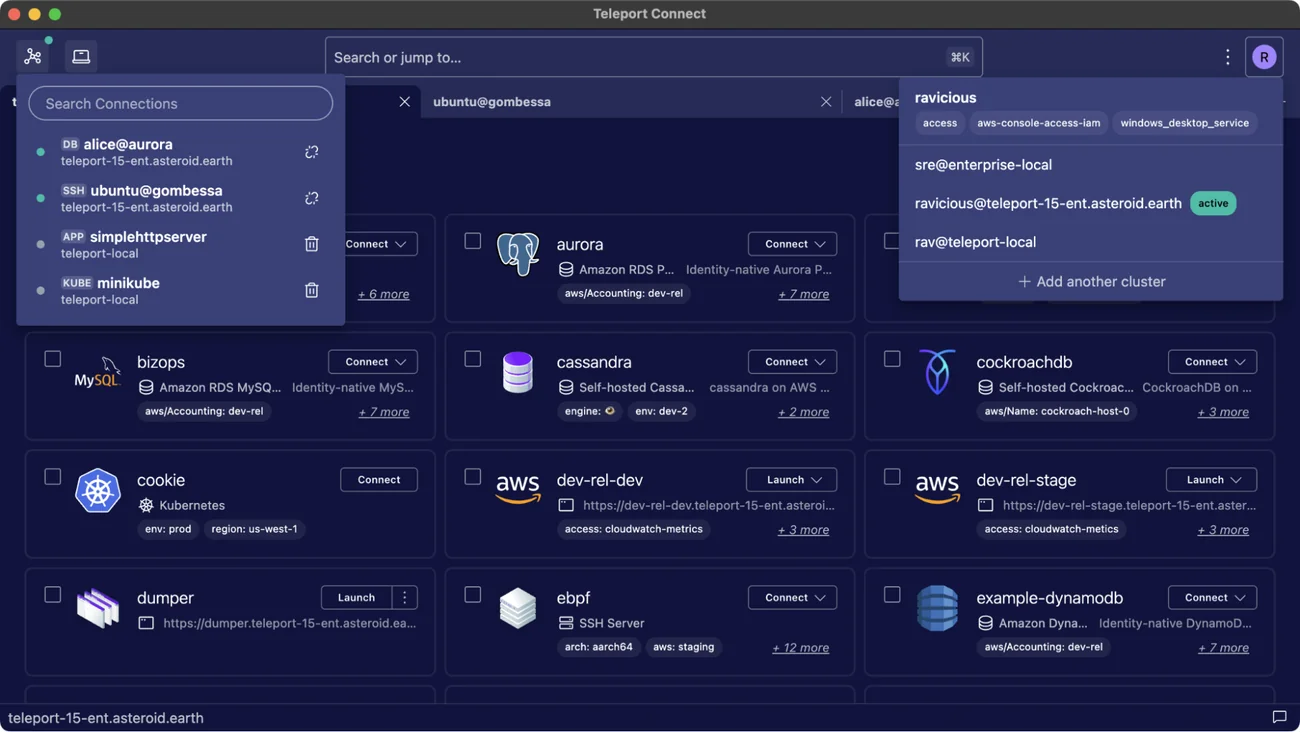
Teleport is an infrastructure identity platform that provides vault-free PAM. It replaces passwords, SSH keys, API tokens, and database credentials with short-lived X.509 certificates bound to verified human, machine, and agent identities, issued per session and expiring automatically.
Teleport provides access to servers, databases, Kubernetes clusters, cloud consoles, web applications, Windows and Linux desktops, and MCP servers without VPNs. Access rules are defined as infrastructure-as-code and apply across every resource.
Key features include:
- Secretless authentication: Issues short-lived cryptographic certificates instead of static credentials, bound to biometric devices and secure enclaves.
- JIT access requests: Users request roles or resources on demand, with configurable approvers and expiry, through Slack, Jira, PagerDuty, or ServiceNow.
- Session recording and playback: Records privileged sessions across SSH, Kubernetes, databases, and cloud consoles in a searchable audit log tied to identity.
- Live session visibility: Shows every active authenticated connection in real time, with the ability to terminate sessions or lock identities.
- Device trust: Verifies device health before granting access, with integrations for Jamf and Microsoft Intune.
- Access lists and reviews: Maps groups to roles with owners, eligibility rules, time-boxed enrollment, and periodic access reviews.
- Machine and agent identity: Extends short-lived certificates to machines, CI/CD pipelines, and AI agents through the tbot agent.
- Teleport VNet: Connects identities to internal resources without VPNs, bastion hosts, or port forwarding.
Limitations (as reported by users on G2):
- Documentation navigation: Users report that documentation is spread across many pages and can lack practical examples for specific use cases.
- Setup complexity: Initial configuration can be complex, particularly for self-hosted deployments and teams new to infrastructure access control.
- Role management at scale: YAML role definitions become verbose as user groups grow, and some teams build their own automation to maintain them.
- Edition and pricing constraints: Some users find the enterprise edition expensive, and the Community Edition license restricts use by larger companies.
- Database onboarding: Each database type requires a different setup process, which complicates adding new database types.
Source: Teleport
5. Okta Privileged Access

Best for: Organizations already standardized on Okta Workforce Identity
Strengths: Server SSO, SaaS service account controls, SSH/RDP recording
Things to consider: Session recording covers SSH and RDP connections
Okta Privileged Access is a PAM solution within Okta Workforce Identity Cloud that governs access to servers, databases, and privileged accounts on-premises and in the cloud. It is the evolution of Okta Advanced Server Access and adds secrets management, access requests, and session recording.
The product extends Okta single sign-on to Linux and Windows servers, removes static SSH keys and passwords, and grants time-bound access that expires automatically. It also manages non-federated SaaS service, shared, and break-glass accounts.
Key features include:
- Server SSO: Extends single sign-on to Linux and Windows servers and replaces static SSH keys and passwords with automated access controls.
- SaaS service account controls: Centralizes service, shared, and break-glass SaaS accounts, with time-based access and request and approval flows.
- Secrets vaulting and brokering: Vaults and rotates API keys, Active Directory accounts, service accounts, and database passwords for human and machine use.
- Local account discovery and rotation: Continuously discovers local server accounts, vaults their passwords, and rotates them on a schedule.
- JIT access: Creates time-bound access for a specified window that expires automatically, configurable per resource type.
- Privileged access governance: Supports multi-step approvals, business justification, and time-bound approval durations through Okta Access Requests.
- Session recording and auditing: Records SSH and RDP sessions through a high-availability proxy gateway and logs events to the Okta System Log.
Limitations (based on publicly available sources):
- Session recording scope: Recording is documented for SSH and RDP connections, so teams needing database or web session recording should confirm coverage.
- Okta platform dependency: The product is part of Okta Workforce Identity Cloud, which makes it a closer fit for organizations already using Okta as their identity provider.
- Discovery scope: Continuous discovery is described for server local accounts and application-specific service accounts rather than broader cloud entitlements.
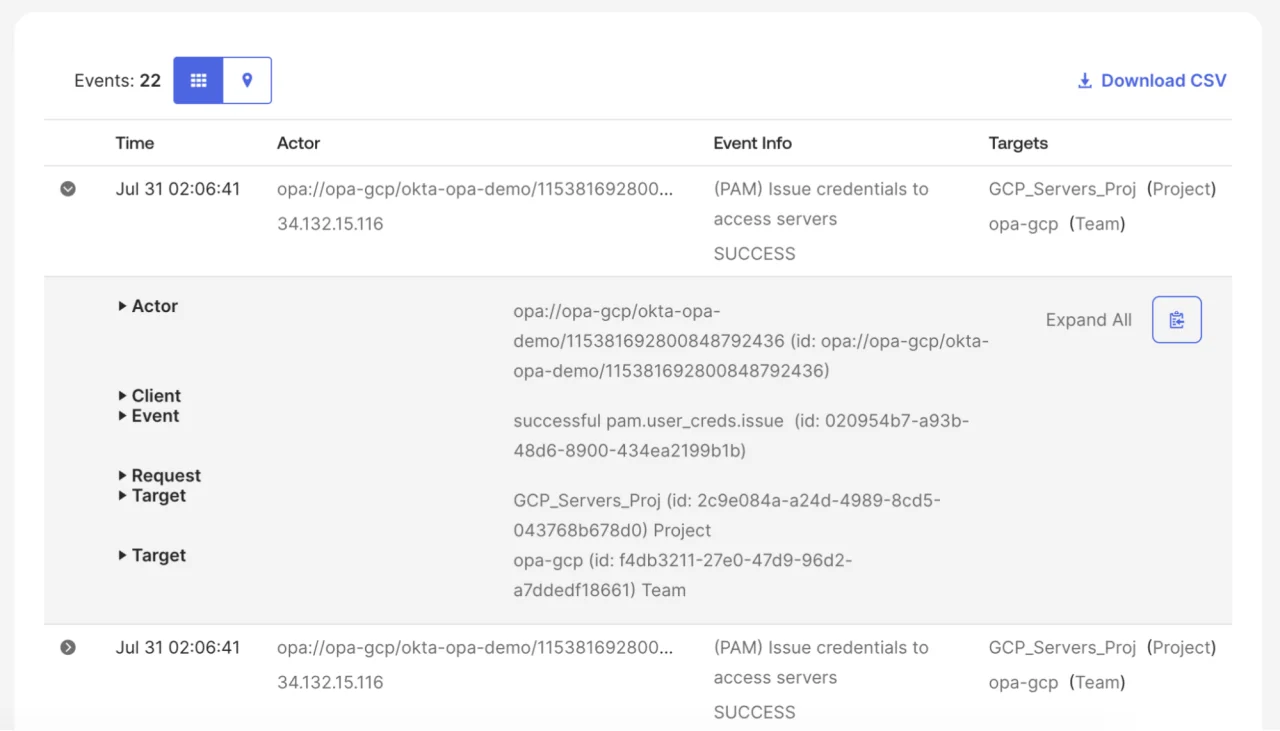
Source: Okta
6. KeeperPAM

Best for: Teams combining password, secrets, and session management
Strengths: Zero-knowledge vault with browser-based sessions and JIT
Things to consider: Tunneling requires the Keeper Desktop application
KeeperPAM is a cloud-native, zero-knowledge PAM platform that combines enterprise password management, secrets management, connection management, zero-trust network access, and remote browser isolation in one interface. Users access PAM capabilities by logging in to the Keeper Vault.
Sessions are brokered through a lightweight Keeper Gateway that requires only outbound connections, so no firewall or ingress changes are needed. Keeper Connection Manager remains available as a self-hosted component for air-gapped environments.
Key features include:
- Keeper Discovery: Uses the Keeper Gateway to discover machines, databases, directories, accounts, and credentials across local, AWS, and Azure environments.
- Browser-based remote sessions: Supports SSH, RDP, VNC, HTTPS, MySQL, PostgreSQL, and SQL Server sessions without exposing credentials or SSH keys.
- JIT access: Provides time-limited access with ephemeral account provisioning, dynamic role or group elevation, and post-session credential rotation.
- KeeperAI session monitoring: Analyzes privileged session activity in real time and terminates sessions when suspicious activity is detected.
- Encrypted tunnels for native tools: Lets users connect with tools such as PuTTY, MySQL Workbench, and pgAdmin through end-to-end encrypted tunnels.
- Multi-protocol session recording: Records screen and keyboard activity across SSH, RDP, VNC, database, and web browser sessions.
- MFA and exfiltration controls: Adds MFA to systems without native support and restricts downloading, copying, pasting, and printing by policy.
- Integrations: Connects with IGA tools such as SailPoint and Saviynt, CNAPP tools such as Wiz and Tenable, and DevOps tools such as Terraform.
Limitations (as reported by users on G2):
- Dispersed documentation: Documentation is spread across many pages and sections, which can make it hard to understand how the system works end to end.
- Initial configuration: Granular rights management at the gateway and connection level requires an adaptation period during setup.
- User and license management: Removing legacy users and freeing their licenses involves multiple steps, and permissions across roles and teams take time to learn.
- Desktop app for tunneling: Starting tunnels requires the Keeper Desktop application rather than the web vault.
- Maturing feature set: Some users note that features such as blocking SSH or RDP bouncing and local recording backup are still on the roadmap.
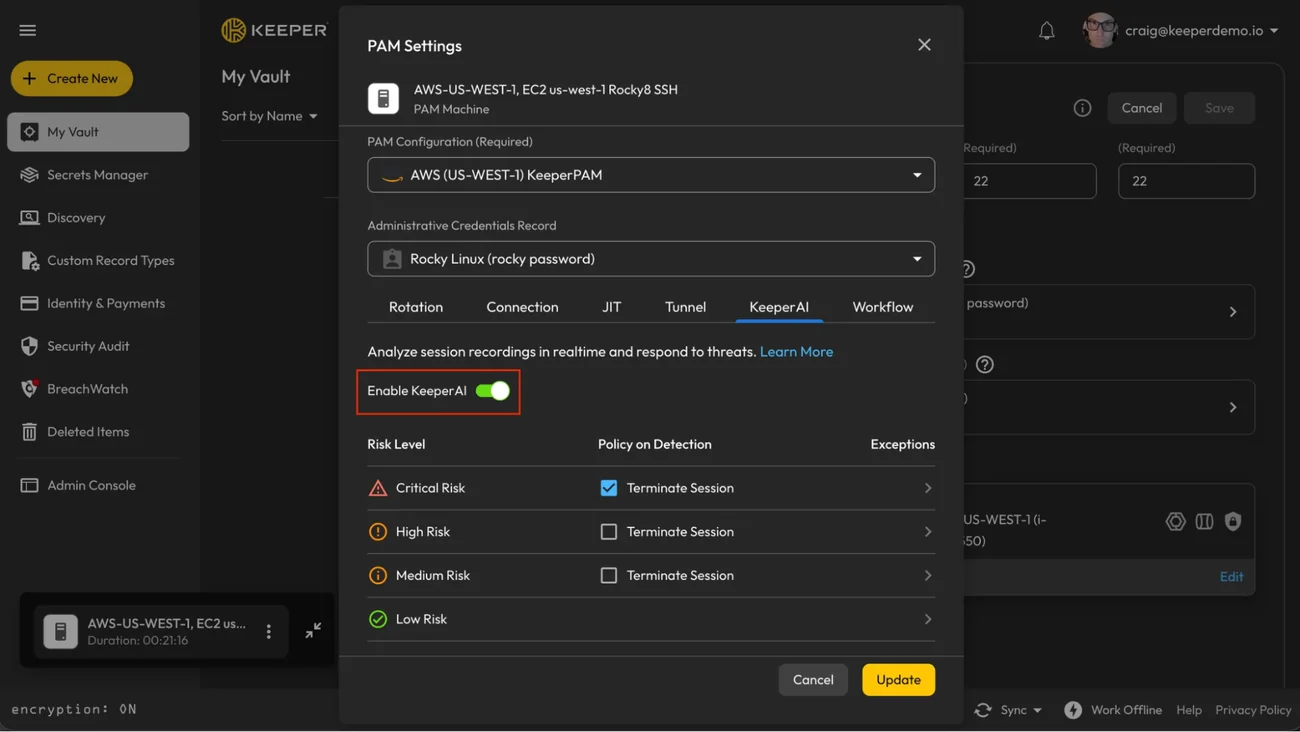
Source: KeeperPAM
Traditional and Established PAM Platforms
7. Palo Alto Networks Idira

Best for: Large enterprises consolidating IAM, PAM, and endpoint controls
Strengths: Vaulting, ZSP, session isolation, and EPM in one platform
Things to consider: Users cite pricing and a steep learning curve
Idira is Palo Alto Networks’ identity security platform, built on CyberArk technology following the CyberArk acquisition. Its PAM solutions combine credential vaulting, zero standing privileges, and session isolation into a single enforcement model for human identities, from workforce users to cloud engineers.
Idira also removes standing local administrator rights on endpoints, brokers agentless access to cloud and Kubernetes environments, and applies identity threat detection and response (ITDR) across the identity estate.
Key features include:
- Zero standing privileges: Creates context-aware ephemeral privileges when a task starts and destroys them automatically when work ends.
- Cloud and infrastructure access: Brokers agentless access to AWS, Azure, Google Cloud, and Kubernetes through native CLI and console workflows with JIT entitlements.
- Workforce endpoint privilege security: Removes standing local administrator rights on Windows, macOS, and Linux and replaces them with policy-based application elevation.
- Session isolation and intelligence: Isolates and records sensitive sessions across infrastructure and SaaS, with AI-generated summaries that surface anomalous commands.
- Vaulting and rotation: Vaults and rotates system-level credentials and injects them at login for legacy applications that cannot use federation.
- Native ITDR: Analyzes identity signals and terminates risky sessions or raises authentication requirements when lateral movement or vault sweeping is detected.
- Third-party vendor access: Provides browser-based, task-scoped JIT access for contractors without VPNs or bastions, with full session recording.
Limitations (as reported by users on G2):
- Cost: Pricing is a common concern among users of the CyberArk privileged access products on which Idira is built.
- Learning curve: On-premises deployment and administration have a steep learning curve for both users and administrators.
- Nested configuration options: Some settings are nested deeply and can be hard to find.
- Troubleshooting: Diagnosing issues can be complicated and time-consuming.
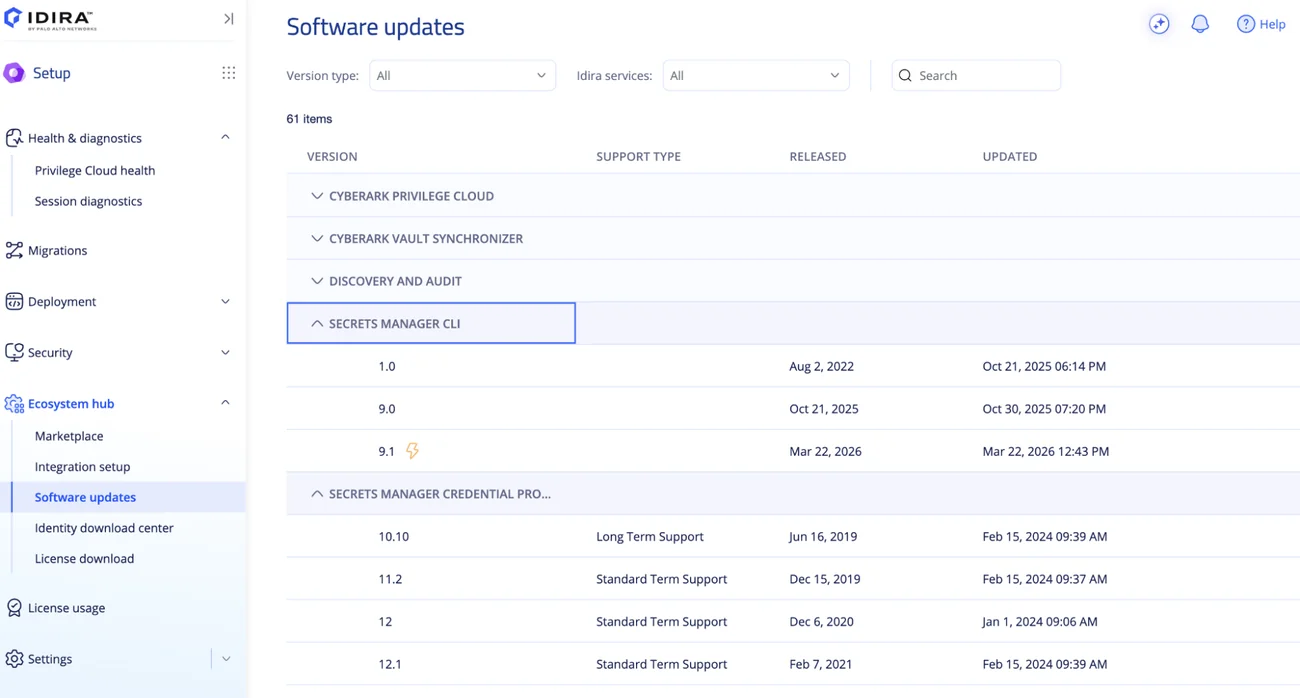
Source: Palo Alto Networks
8. BeyondTrust Modern PAM

Best for: Organizations combining JIT, remote access, and identity risk
Strengths: Privilege path visibility and VPN-less vendor access
Things to consider: Users report complex setup and premium pricing
BeyondTrust Modern PAM combines identity risk visibility, JIT provisioning, and secure remote access for hybrid and cloud environments. It is delivered through the BeyondTrust Pathfinder platform alongside BeyondTrust’s classic PAM products.
The solution correlates identity risk with data sensitivity to show Paths to Privilege, replaces persistent permissions with temporary access for employees, contractors, and admins, and connects users to critical systems without VPNs or shared credentials.
Key features include:
- Identity Security Insights: Assesses identity security posture, visualizes Paths to Privilege, and recommends hardening steps such as revoking access or moving to JIT.
- Identity threat detection: Detects privilege abuse and threats from compromised identities and prioritizes remediation by correlating risk scores with data sensitivity.
- JIT access provisioning: Grants temporary access with self-service requests, approvals, and automated provisioning, including JIT access to production and customer data.
- Collaboration integrations: Supports access requests and approvals through Microsoft Teams and Slack, with renewal notifications and multi-permission bundles.
- Automated access reviews: Runs privileged access reviews automatically to keep entitlements aligned with current needs.
- Privileged Remote Access: Connects employees and vendors to critical systems without VPNs or shared credentials, including Kubernetes environments.
- Authentication options: Protects remote access with MFA, passwordless, and SAML authentication.
Limitations (as reported by users on G2):
- Complex setup: Initial setup and configuration can be complex, especially in environments with multiple integrations.
- Premium pricing: Some users find pricing challenging, particularly for smaller organizations.
- Reporting: Users describe reporting and analytics as cumbersome and time-consuming to manage.
- Learning curve: Customization and configuration involve a steep learning curve.
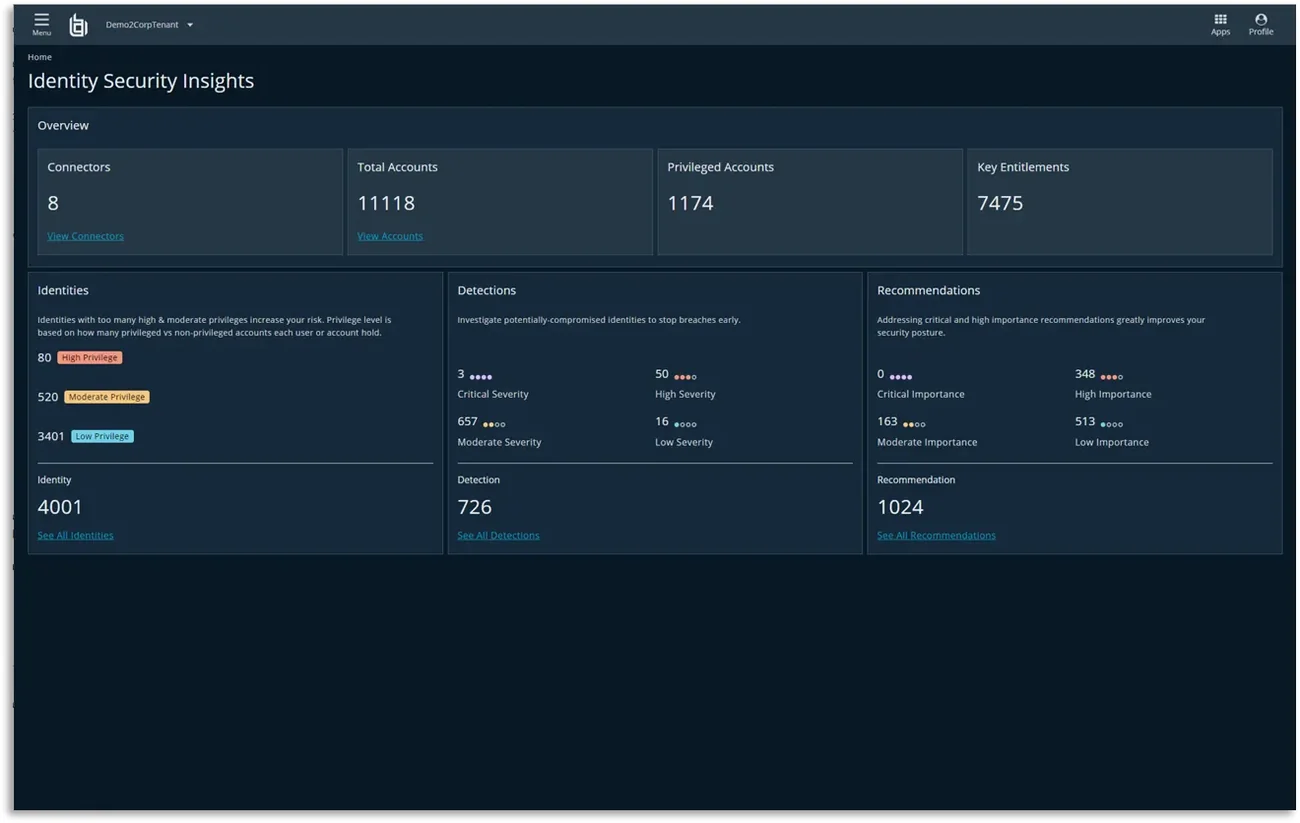
Source: BeyondTrust
9. Delinea Platform

Best for: Enterprises centered on credential vaulting and session control
Strengths: Continuous discovery and real-time authorization via Iris AI
Things to consider: Users report complex initial setup
The Delinea Platform is a cloud-native identity security control plane that extends PAM into continuous authorization for human, machine, and AI identities. Its Iris AI engine discovers identities, analyzes risk, and authorizes access decisions in real time.
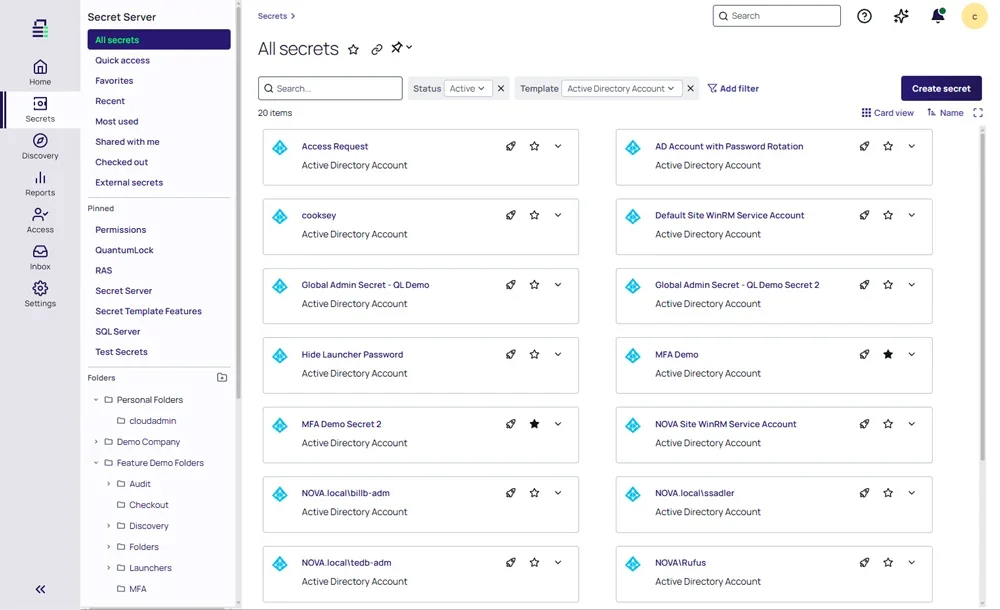
The platform includes Secret Server for password vaulting and session management, along with products for server privilege control, privileged remote access, credential management, and Fastpath access governance.
Key features include:
- Continuous identity discovery: Discovers human, machine, and AI identities and shows their access, relationships, and risk.
- Posture analysis and remediation: Analyzes identities and interactions and prioritizes the most critical gaps for remediation.
- Real-time authorization: Uses Iris AI to authorize access decisions at the moment of action across workforce, IT admin, DevOps, and AI identities.
- JIT and zero standing privilege: Enforces JIT access with vaulted secrets, controlled sessions, and auditable actions.
- Secret Server: Vaults privileged credentials and provides session management for administrator, service, application, and root accounts.
- Privilege Control for Servers: Enforces least privilege and application control on Windows and Linux servers.
- AI agent governance: Discovers AI agents and grants them JIT, least-privilege access with visible and auditable activity.
- Fastpath access governance: Detects segregation of duties conflicts, automates access reviews, and tracks permission changes in business applications.
Limitations (as reported by users on G2):
- Initial setup: Users find the initial setup complex and challenging.
- Deployment and configuration: Deployment and configuration can require significant effort before the system is fully operational.
- Interface: Some users report that the user interface needs improvement.
Source: Delinea
10. Netwrix Privilege Secure

Best for: Microsoft-centric hybrid estates removing standing admin rights
Strengths: Ephemeral task accounts and agentless discovery
Things to consider: Coverage deepest in AD and Entra ID environments
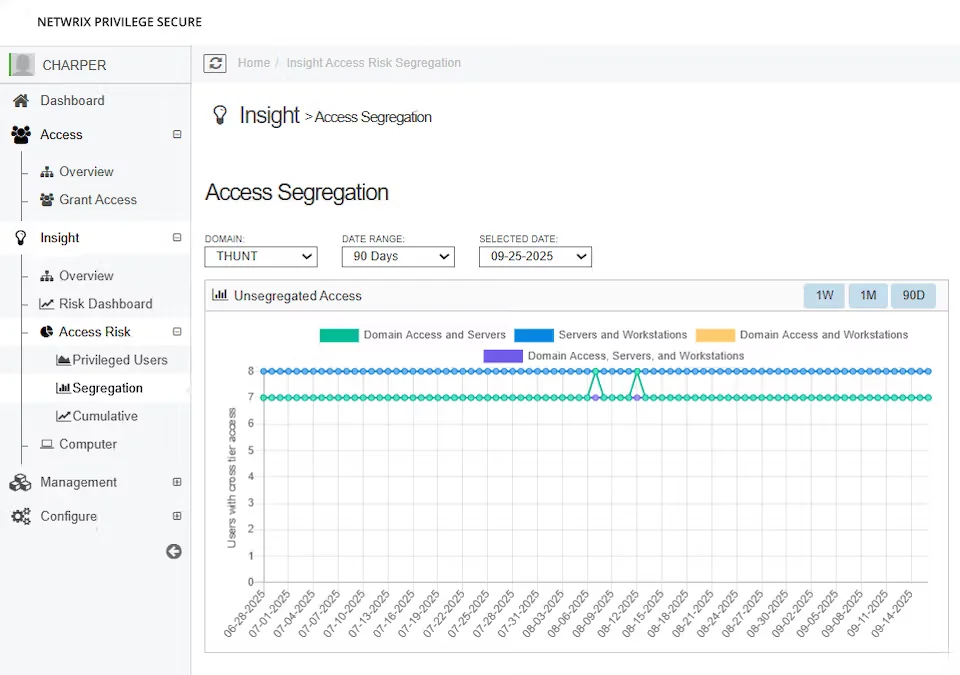
Netwrix Privilege Secure, formerly SBPAM and Remediant, is a PAM product that replaces standing admin accounts with temporary privileges created for a task and erased after use. It removes standing domain admin accounts by granting session-based access only when required.
The product includes agentless discovery, session monitoring, VPN-less browser-based access, and endpoint privilege elevation through Netwrix Endpoint Privilege Manager. Licensing is per user and includes unlimited managed accounts and resources.
Key features include:
- Zero standing privilege: Creates accounts only for approved tasks and erases them after use.
- Agentless discovery: Scans endpoints without agents to find hidden privileged accounts and removes standing access with one click.
- Granular privilege control: Grants only the rights needed for each task.
- Domain admin elimination: Replaces standing domain admin accounts with session-based access that is removed when the session ends.
- Session monitoring and audit: Records and monitors privileged sessions with detailed logs.
- VPN-less remote access: Provides browser-based privileged access verified with MFA and removed automatically when done.
- Endpoint Privilege Manager: Removes local admin rights on Windows and macOS and grants task-specific permissions.
- Privileged Task Automation: Runs tasks such as software updates, password resets, or log collection with JIT access revoked after completion.
Limitations (based on publicly available sources):
- Microsoft-centric depth: Coverage is deepest in Microsoft hybrid environments, so AWS-native or GCP-first teams should validate connector depth.
- Existing vault integration: Teams keeping an existing vault need to confirm integration depth with their vault vendor during evaluation.
- Linux and Unix coverage: Some comparisons describe Linux and Unix coverage as less mature than Windows and Microsoft coverage.
Source: Netwrix
11. One Identity Safeguard

Best for: Regulated enterprises needing deep session recording and analytics
Strengths: Proxy-based session control with behavioral analytics
Things to consider: Appliance-based architecture adds operational overhead
One Identity Safeguard is a PAM platform built around Safeguard PASM, which combines privileged password vaulting, session management, and behavioral analytics. It covers human administrators, service accounts, machine workloads, and AI agents, with JIT access controls.
Safeguard stores credentials in a hardened appliance and is also available as SaaS through Safeguard On Demand. Additional products cover privilege elevation on Windows and Unix, Active Directory bridging, sudo management, and remote vendor access.
Key features include:
- Discovery and onboarding: Discovers privileged accounts, service accounts, SSH keys, API keys, and machine credentials across hosts, directories, and cloud.
- Credential vaulting and rotation: Vaults and rotates privileged passwords and secrets, with an automated workflow engine and JIT access controls.
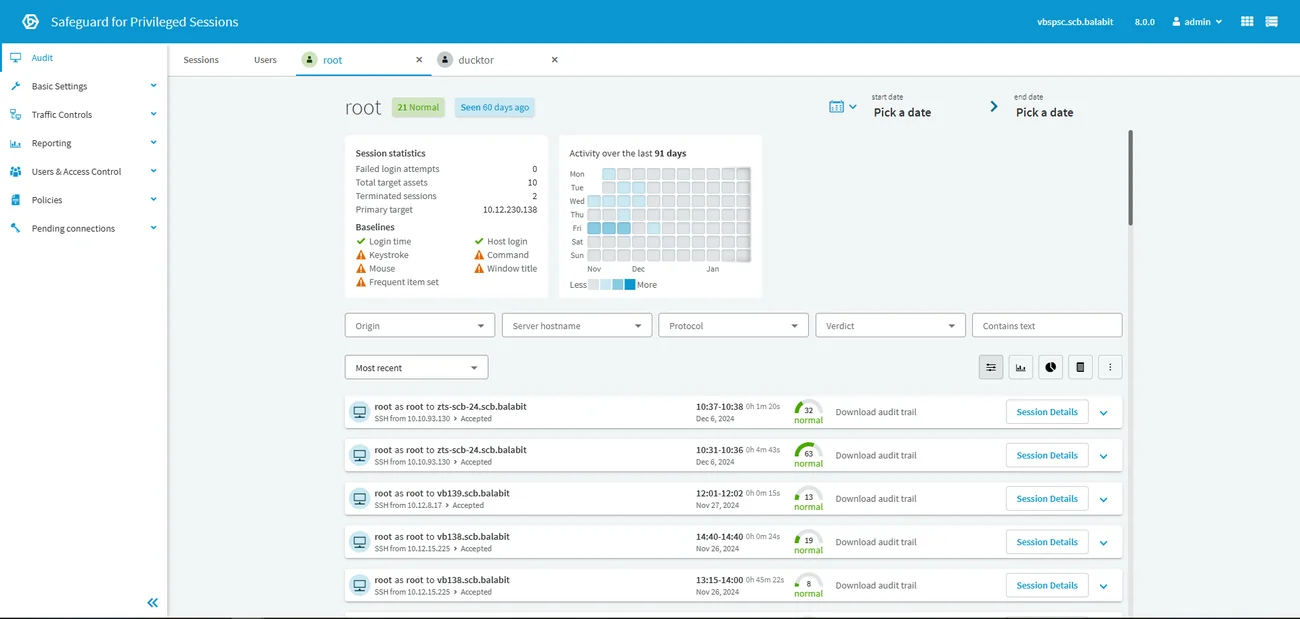
- Privileged session proxy: Controls, records, and replays sessions, inspects protocol traffic, and can run in transparent mode without workflow changes.
- Full-text session search: Indexes recorded sessions, including OCR of screen content, for search and reporting.
- Privileged Analytics: Detects anomalies using keystroke dynamics, mouse movement, commands, and window titles, ranks alerts by risk, and can terminate sessions.
- PEDM for Windows and Unix: Elevates or restricts application rights on Windows and controls privileged commands and sudo policies on Unix and Linux.
- Remote PAM: Provides agentless, VPN-less access for contractors and vendors with session monitoring and recording.
- Signed audit trails: Stores activity in time-stamped, cryptographically signed files for forensics and compliance.
Limitations (based on publicly available sources):
- Appliance overhead: The hardware appliance model is described as operationally heavier than software-only options.
- Platform investment: Full value is tied to investment in the broader One Identity platform.
- Cloud-native complexity: Some comparisons note higher complexity for cloud-native and DevOps use cases.
Source: One Identity
12. ManageEngine PAM360

Best for: IT teams already using the ManageEngine ecosystem
Strengths: Broad PAM, EPM, CIEM, and certificate management coverage
Things to consider: Less flexible outside the ManageEngine ecosystem
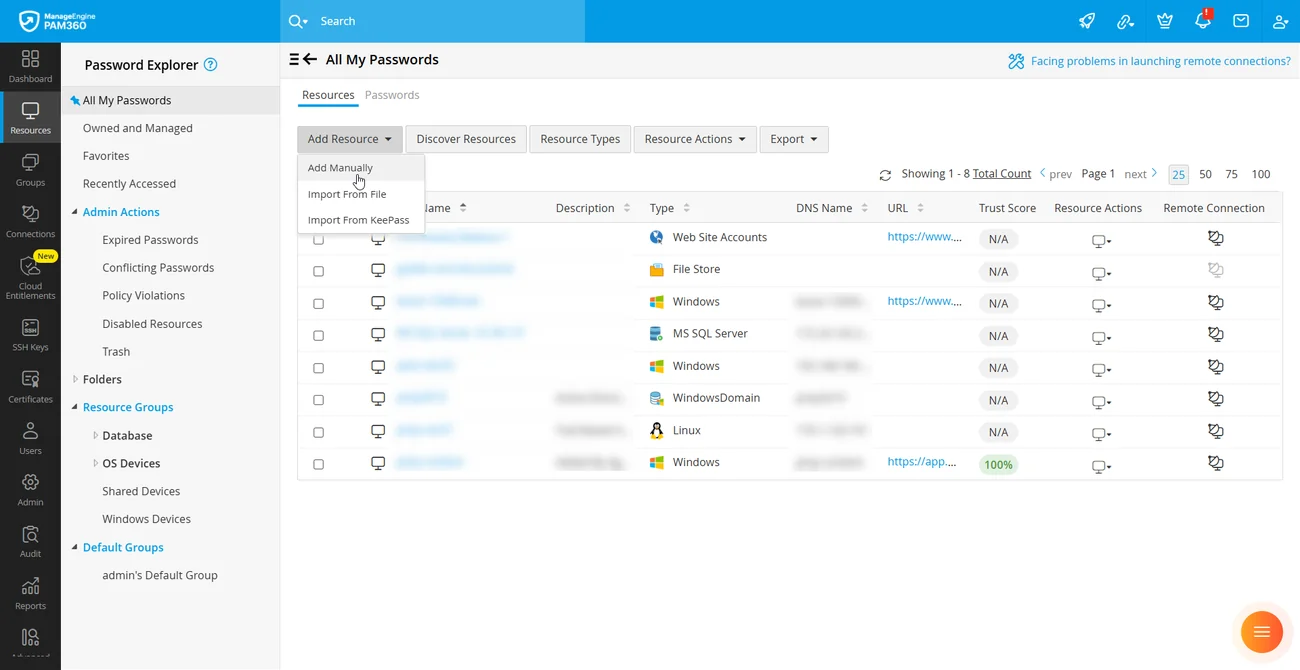
ManageEngine PAM360 is a unified PAM platform for human, non-human, and AI identities. It covers credential vaulting, privilege elevation, endpoint privilege management, cloud entitlements, and certificate lifecycle management.
PAM360 is built on ManageEngine’s converged identity security platform, which connects PAM with IGA, authentication, ITDR, CIEM, and PKI management. It is available on-premises, with a cloud edition listed in beta.
Key features include:
- Credential vaulting and access control: Centralizes credentials for endpoints, cloud environments, workloads, databases, applications, and network devices with context-aware access controls.
- Privilege elevation and delegation: Applies JIT elevation, application and command controls, and least privilege workflows for access provisioning.
- Endpoint privilege management: Restricts access to critical applications with JIT access, child process control, and local administrator rights management.
- Cloud infrastructure entitlements management: Monitors cloud entitlements and remediates excessive privileges and policy violations.
- Non-human identity governance: Governs service accounts, secrets, keys, certificates, workloads, containers, and automated processes.
- Privileged threat detection: Uses AI and ML-driven anomaly detection to flag suspicious user activity.
- Key and certificate lifecycle management: Manages SSH keys and SSL/TLS certificates.
- Remote PAM for vendors: Integrates vendor and partner access into joiner, mover, leaver workflows.
Limitations (based on publicly available sources):
- Ecosystem fit: The product is built around the ManageEngine ecosystem and is described as less flexible outside it.
- Platform integration issues: Some comparisons cite Linux integration issues and Windows password sync problems.
- Cloud edition maturity: The cloud deployment option is currently listed as beta.
Source: ManageEngine
Best Practices for Implementing PAM Tools
Here are some of the ways that organizations can improve their use of privileged access management tools.
1. Remove Standing Privileges and Grant Access Just-in-Time
Permanent administrative permissions increase the risk of credential abuse and unauthorized access. Configure PAM tools to grant just-in-time (JIT), task-specific privileges that expire automatically. Prioritize zero standing privileges (ZSP) for cloud administrators, domain administrators, and production systems, while maintaining controlled emergency access.
Key actions:
- Remove unnecessary permanent administrative permissions.
- Grant temporary access to specific resources and operations.
- Automate approvals for routine, low-risk requests.
- Require additional authorization for sensitive actions.
- Revoke privileges automatically when access expires.
- Maintain secure emergency access procedures.
2. Run Continuous Discovery of Privileged Accounts
Privileged accounts and permissions change as employees, applications, and infrastructure evolve. Configure PAM tools to continuously discover human and non-human identities across cloud, SaaS, on-premises systems, and endpoints. Use discovery findings to identify unmanaged accounts, excessive permissions, and privilege changes that require investigation or remediation.
Key actions:
- Integrate discovery with identity providers, directories, and cloud APIs.
- Inventory administrators, service accounts, machine identities, and AI agents.
- Identify dormant accounts, shared credentials, and orphaned identities.
- Detect unexpected privilege changes and excessive entitlements.
- Assign owners to privileged identities.
- Automate remediation of unnecessary permissions where appropriate.
3. Apply Dedicated Access Controls to Service Accounts and AI Agents
Service accounts, machine identities, and AI agents require privileged access controls suited to automated operations. Use managed identities and short-lived credentials to reduce reliance on static secrets. For AI agents, enforce task-specific authorization at the individual tool-call level, considering the requested action, resource sensitivity, and intended task rather than relying only on session permissions.
Key actions:
- Assign distinct identities to automated workloads and AI agents.
- Replace static credentials with managed identities or short-lived tokens.
- Restrict permissions to approved resources and operations.
- Evaluate AI agent permissions for each tool call.
- Require human approval for high-risk agent actions.
- Log agent activities and link them to responsible identities.
4. Use AI to Summarize Privileged Sessions and Surface Risks
Privileged sessions generate extensive logs and recordings that can be difficult to review manually. AI-powered session analysis can summarize administrative activity, identify sensitive operations, and highlight suspicious behavior. Integrate these insights into security investigation workflows while preserving access to the original evidence for human verification.
Key actions:
- Generate concise summaries of privileged sessions.
- Highlight unusual commands and sensitive configuration changes.
- Identify attempts to access restricted resources.
- Prioritize potentially risky sessions for investigation.
- Link AI findings to original logs and recordings.
- Require human validation before consequential security decisions.
Conclusion
Effective privileged access management requires more than securing administrator passwords. Organizations should prioritize continuous identity discovery, just-in-time access, zero standing privileges, and detailed monitoring of privileged activities. As service accounts and AI agents take on more sensitive operations, PAM must also enforce granular, context-aware authorization across human and non-human identities. Combining these controls reduces the risk of credential compromise, excessive permissions, and unauthorized actions while improving accountability and compliance.
