



What Is CyberArk Privileged Access Management?
CyberArk Privileged Access Management (PAM), now part of Palo Alto Networks' Idira identity security portfolio, is an enterprise security solution designed to protect, control, and monitor privileged access to critical systems, applications, and infrastructure.
CyberArk PAM helps organizations manage administrative accounts, service accounts, privileged credentials, and high-risk sessions across on-premises, cloud, and hybrid environments. Its capabilities span traditional credential vaulting and session monitoring alongside modern just-in-time (JIT) access, zero standing privileges (ZSP), and identity-based access controls.
However, CyberArk’s sprawling feature set and architectural complexity can lead some organizations to evaluate alternatives that prioritize simpler deployment, lower operational overhead, and cloud-native, identity-based access controls.
Why organizations seek CyberArk alternatives:
- Complex deployment and ongoing administration: Self-hosted deployments can require specialized expertise and ongoing maintenance, prompting interest in simpler, cloud-native alternatives.
- High licensing and infrastructure costs: Licensing, additional modules, infrastructure, and administration can increase total costs, making predictable pricing and lower overhead attractive.
- Reliance on credential vaulting and persistent privileges: Traditional vault-centric deployments may retain standing privileges, although modern CyberArk offerings support just-in-time access.
- Limited AI access management capabilities: Organizations should assess whether available capabilities meet requirements for agent discovery, entitlement governance, task-specific authorization, and remediation.
- Acquisition by Palo Alto Networks and transition to Idira: Potential changes to licensing, integrations, support, and product roadmaps may prompt organizations to evaluate alternatives.
In this article
- CyberArk Alternatives at a Glance
- Why Organizations Look for CyberArk Alternatives
- Types of CyberArk Alternatives
- Key Capabilities to Look for in a CyberArk Alternative
- Notable CyberArk Alternatives for Privileged Access Management
CyberArk Alternatives at a Glance
The table below summarizes the key differences between the CyberArk alternatives covered in this guide. We explore each platform in more detail in the sections that follow.
Why Organizations Look for CyberArk Alternatives
Complex Deployment and Ongoing Administration
CyberArk deployments, particularly self-hosted implementations, can involve multiple infrastructure components, including credential vaults, privileged session managers, password management services, and supporting integrations. Configuring these components, establishing access policies, and integrating existing identity systems may require specialized expertise and substantial implementation effort. Organizations must also account for high availability, infrastructure upgrades, ongoing maintenance, and troubleshooting.
This operational complexity can become challenging for organizations managing dynamic cloud infrastructure, distributed development teams, and frequently changing workloads. Security teams may prefer alternatives that offer agentless deployment, centralized policy management, automated resource discovery, and faster onboarding. Cloud-native PAM platforms can reduce the infrastructure management burden while supporting consistent privileged access controls across cloud and on-premises environments.
High Licensing and Infrastructure Costs
CyberArk's enterprise-oriented licensing and broad feature set can create a significant total cost of ownership, particularly for organizations that need multiple privileged access capabilities across different environments. Costs may include subscription or licensing fees, additional modules, implementation services, and ongoing administrative resources. Self-hosted deployments can introduce further expenses associated with infrastructure provisioning, maintenance, redundancy, and disaster recovery.
Organizations evaluating CyberArk alternatives often prioritize transparent pricing, flexible licensing, and reduced operational overhead. For example, a cloud-delivered PAM platform may eliminate the need to maintain dedicated vault infrastructure, while an agentless solution can reduce deployment and endpoint management costs. The objective is not necessarily to minimize licensing expenses alone, but to achieve the required security controls with a more predictable and manageable total cost of ownership.
Related content: Read our guide to privileged access management pricing
Reliance on Credential Vaulting and Persistent Privileges
Traditional PAM architectures emphasize securing privileged credentials through centralized vaulting, password rotation, and controlled session access. Although these controls reduce credential exposure and improve accountability, they do not automatically eliminate standing privileges. A privileged account can retain administrative permissions even when its password is securely stored and frequently rotated, leaving those permissions available for misuse if the account or an authorized session is compromised.
Modern CyberArk offerings, including Secure Infrastructure Access and Secure Cloud Access, already support just-in-time access and zero standing privileges. As a result, organizations evaluating alternatives should distinguish between limitations of traditional vault-centric deployments and the capabilities of CyberArk's broader identity security portfolio. Some organizations may prefer platforms that prioritize temporary, identity-based authorization, streamlined deployment, and unified access policies from the outset. The evaluation should focus on how effectively each solution eliminates unnecessary standing privileges, supports cloud and on-premises infrastructure, and secures access for human and non-human identities.
Limited AI Access Management Capabilities
CyberArk's traditional privileged access management capabilities were primarily designed to secure human administrators, privileged accounts, and machine identities rather than autonomous AI agents. AI agents introduce additional requirements, including agent discovery, accountable ownership, entitlement governance, task-specific authorization, and approval workflows for high-impact actions. Organizations may need more comprehensive AI identity governance capabilities to manage agent access across SaaS applications, cloud environments, and enterprise systems.
Palo Alto Networks has expanded these capabilities through Idira, which introduces identity security controls for human, machine, and agentic identities. However, organizations evaluating CyberArk alternatives should assess whether the available agent security capabilities meet their specific requirements for automated access reviews, entitlement analysis, least-privilege enforcement, and closed-loop remediation. They should also verify the maturity and availability of AI agent features within their existing licensing and deployment model.
Related content: Read our article about agentic AI security
Acquisition by Palo Alto Networks and Transition to Idira
Palo Alto Networks completed its acquisition of CyberArk in February 2026 and subsequently introduced Idira as its next-generation identity security platform. The transition brings CyberArk's established privileged access management and machine identity security capabilities into Palo Alto Networks' broader security portfolio, with expanded support for AI agents and unified identity protection.
While the acquisition creates opportunities for deeper integration with Palo Alto Networks' security products, the transition may introduce considerations around product naming, licensing, platform integration, and long-term roadmap alignment. Organizations evaluating alternatives may prefer independent identity security platforms or vendors with more predictable product strategies and deployment models.
Existing CyberArk customers should assess how the transition to Idira affects their current investments, integrations, support arrangements, and future identity security requirements.
Types of CyberArk Alternatives
Modern Just-in-Time (JIT) Privileged Access Platforms
Modern JIT privileged access platforms reduce reliance on permanently assigned administrative permissions by granting elevated access only when it is needed. Instead of maintaining broad standing privileges, users request access to specific systems or resources for a defined period. The platform evaluates the request against security policies, grants temporary permissions when authorized, and automatically revokes them when the access window expires.
These platforms often integrate with cloud providers, identity providers, and infrastructure management systems to automate access provisioning and enforcement. Common capabilities include time-limited privilege elevation, risk-based approvals, short-lived credentials, and centralized audit trails. JIT access is especially valuable for DevOps teams, cloud administrators, and contractors who require occasional privileged access without maintaining permanent administrative rights.
Traditional PAM Platforms with Credential Vaulting and Session Management
Traditional privileged access management platforms provide centralized control over administrative credentials, privileged accounts, and sensitive sessions. They typically use secure vaults to store passwords, SSH keys, and other privileged secrets, while enforcing password rotation, session recording, and access approval workflows. These solutions are commonly used to protect domain administrator accounts, database administrators, network devices, and legacy infrastructure.
Traditional PAM platforms are particularly relevant to organizations with extensive on-premises infrastructure, strict regulatory requirements, or systems that depend on shared administrative accounts. However, credential vaulting alone does not eliminate persistent privileges, and deployments may require dedicated infrastructure, endpoint connectors, or significant administrative effort. Organizations evaluating these alternatives should consider whether they also support JIT access, cloud infrastructure, and non-human identities.
Key Capabilities to Look for in a CyberArk Alternative
A CyberArk alternative should reduce privileged access risk without adding operational complexity. Evaluate platforms for consistent controls across your infrastructure, automated access workflows, and support for human, machine, and AI agent identities.
Key PAM capabilities include:
- Unified privileged access: Centralize access requests, authorization, and auditing across cloud, on-premises, and hybrid environments. Look for integrations with existing identity providers and infrastructure, alongside environment-specific controls.
- Continuous discovery of identities and permissions: Maintain an up-to-date inventory of privileged identities and entitlements. Identify unused roles, orphaned accounts, and excessive permissions, with usage-based recommendations to prioritize remediation.
- Just-in-time access and zero standing privileges: Replace permanent administrative access with narrowly scoped, temporary permissions wherever feasible. Require automatic expiration, scheduled and on-demand elevation, and immediate revocation when tasks end or security conditions change.
- Context-aware and risk-based policies: Evaluate access requests using identity, resource sensitivity, device posture, requested actions, and operational context. Policies should allow, deny, or escalate requests without defaulting to broad administrative privileges.
- Automated approvals and human oversight: Automatically approve routine requests that meet predefined policies while routing high-risk access for human review. Support configurable approvals, separation of duties, emergency access, and auditable decision records.
- Short-lived credentials and credential isolation: Reduce reliance on long-lived secrets through temporary credentials and brokered sessions that limit credential exposure. Evaluate permission scoping, expiration, revocation capabilities, and auditing for each supported credential type.
- Non-human identity and machine access management: Discover privileged service accounts, workloads, pipelines, and AI agents, and assign accountable owners. Look for workload federation, short-lived credentials, lifecycle controls, and task-aware authorization for sensitive agent actions.
- Modern, AI-first roadmap and agentic identity security: Assess investment in identity analytics, permission right-sizing, anomaly detection, and automated remediation. Distinguish available capabilities from roadmap commitments, including support for agent frameworks and Model Context Protocol (MCP) integrations.
Notable CyberArk Alternatives for Privileged Access Management
How we selected these solutions: We shortlisted CyberArk alternatives based on their ability to secure privileged access across cloud, on-premises, and hybrid infrastructure, including just-in-time access, zero standing privileges, credential vaulting and session monitoring, context-aware access policies, and support for non-human identities and AI agents.
Modern Just-in-Time (JIT) Privileged Access Platforms
1. Venice

Best for: Enterprises replacing vault-based PAM with zero standing privilege
Strengths: JIT access for human, machine, and AI agent identities
Things to consider: Pricing is available only with customized quotes
Venice is a unified PAM platform for human, machine, and AI agent identities that works toward zero standing privilege through just-in-time access across hybrid, cloud, and on-premises environments. It deploys without agents or redundant vaults and starts with estate-wide discovery of standing privileges for every identity, held in a single source of truth.
Users request, approve, and enter cloud, on-premises, and SaaS systems from one browser tab, while policies decide whether each request is granted automatically, sent for manual approval, or blocked based on identity, task, and risk context. Agentic access management applies the same controls to AI agents by checking each agent call against its declared task.
Key features include:
- Estate-wide privilege discovery: Measures standing privileges for every identity from day one. A ZSP dashboard shows standing access, risk, and progress toward zero standing privilege, with KPIs and AI-generated guidance.
- Contextual, policy-driven approvals: Policies are built once and determine whether access is automatic, manual, or blocked using identity, task, and risk context. Access rules define who gets access to what and for how long, and adjust to user, behavior, environment, and need.
- Universal access requests: A single browser-based interface where users request, approve, and enter any cloud, on-premises, or SaaS system.
- One-click JIT onboarding: Converts an existing server, role, or resource into just-in-time access in minutes, without agents or vault configuration.
- AI-assisted migration from legacy PAM: Analyzes existing vaults, shared accounts, and standing permissions and converts them into policy-driven JIT access. Shared accounts can be kept and rotated where needed, then upgraded into dynamic policies over time.
- Access management for AI agents: Sits between agents and resources, evaluates every call against the agent’s declared task, and keeps credentials out of agents’ hands. Humans, NHIs, and agents share one risk engine and one audit trail.
- Session accountability and Audit Center: Traces every request to a decision, every decision to an action, and every action to a monitored session tied to a real identity. The Audit Center stores all requests, decisions, and sessions in one place, recorded and ready for audits.
Limitations (based on publicly available sources):
- Pricing by quote: Pricing is not published and is provided through the sales team.
2. Teleport

Best for: Engineering teams securing servers, Kubernetes, and databases
Strengths: Short-lived certificates replace passwords, keys, and tokens
Things to consider: Setup and administration can be complex, especially self-hosted
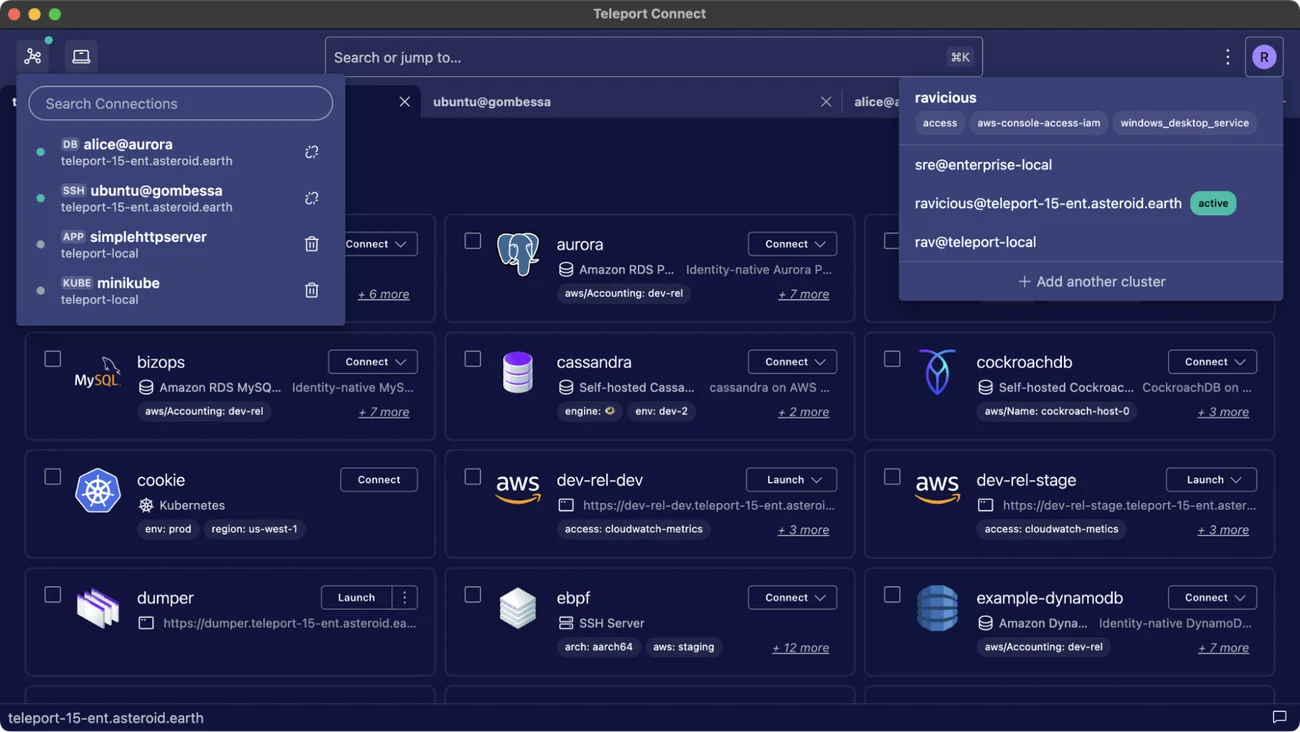
Teleport is an infrastructure identity platform that provides vault-free privileged access management for human, machine, and AI identities. Instead of storing and rotating credentials, it issues short-lived, identity-bound X.509 certificates per session that expire when the task is complete, with zero standing access as the default.
Teleport secures access to servers, databases, Kubernetes clusters, cloud consoles, web applications, Windows and Linux desktops, and MCP servers without VPNs or bastion hosts. Access rules are managed as infrastructure-as-code and apply across every resource, with one audit trail and session recording.
Key features include:
- Secretless authentication: Replaces passwords, SSH keys, API tokens, and database credentials with short-lived cryptographic certificates bound to biometric devices and secure enclaves.
- Just-in-time access requests: Users request a role or resource on demand through Slack, Jira, PagerDuty, or ServiceNow. Requests require a configurable number of approvers or an automated policy, and elevated privileges expire automatically.
- Session recording and playback: Records privileged sessions initiated by humans, services, or AI agents across SSH, Kubernetes, databases, and cloud consoles, with full playback for incident review and audits.
- Live session visibility: Shows every active authenticated connection in real time, with the ability to terminate sessions or lock identities.
- Device trust: Verifies device health and compliance before granting access to sensitive systems, with integrations for Jamf and Microsoft Intune.
- Machine and workload identity: The tbot agent extends short-lived certificates to machines, CI/CD pipelines, and AI agents, removing secrets rotation and vault dependencies.
- Identity governance: Handles provisioning, approvals, and access reviews, and automates role management with access lists.
Limitations (as reported by users on G2):
- Complex administration: Administration can be challenging, particularly during setup and integration.
- Implementation difficulty: Self-hosting and troubleshooting on existing infrastructure can be difficult, and some users want more knowledge base content for troubleshooting.
- Cost: The enterprise edition is considered expensive.
- Learning curve: New users need time to become familiar with the platform.
- Auditing: Some users would like enhancements to the auditing functions.
Source: Teleport
3. Apono

Best for: Cloud and DevOps teams needing JIT access to cloud, K8s, and databases
Strengths: Creates scoped permissions at request time in native policy language
Things to consider: Product roadmap now tied to 1Password after its 2026 acquisition
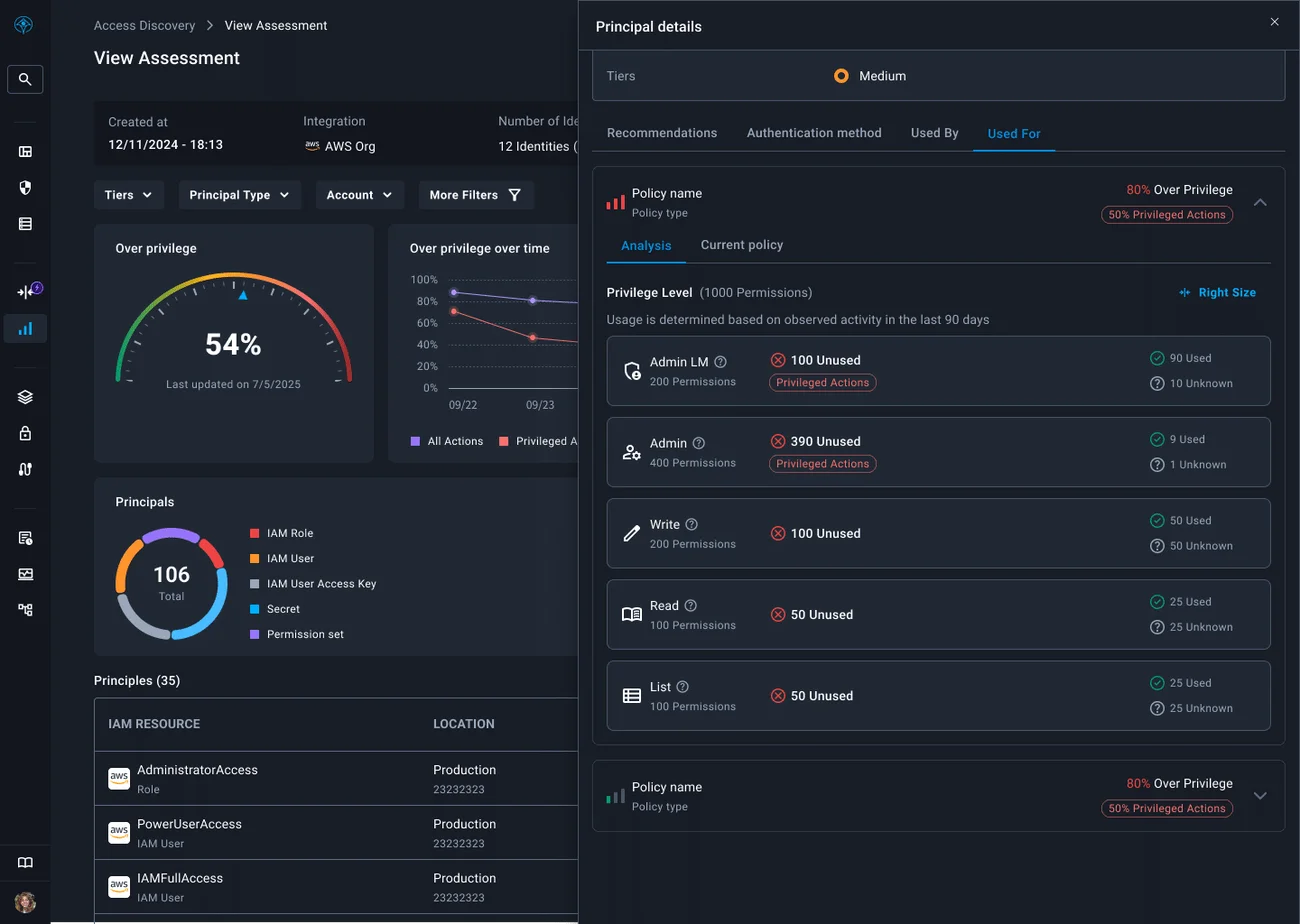
Apono, now part of 1Password, is a cloud-native privileged access management platform that grants just-in-time access to humans, machines, and AI agents and revokes it automatically. Instead of relying on pre-built roles, it creates IAM roles, permissions, and access policies at request time in the native policy language of AWS, Azure, GCP, Kubernetes, and databases.
The platform has three modules that share one policy engine, privilege orchestrator, and audit trail: Infrastructure Guard for on-premises and hybrid infrastructure, Privileged Cloud for cloud platforms, and Agent Privilege Guard for AI agents. Engineers request access through Slack, Teams, Jira, the CLI, or Apono Assist.
Key features include:
- Runtime privilege orchestration: Creates permissions on the fly at request time, scoped to the exact need, so access exists only while it is required and pre-provisioned roles are not needed.
- Dynamic guardrails: Each access decision weighs who is requesting, what they want to do, which environment they are touching, and the risk of the action. Policies adapt as the environment changes.
- Agent Privilege Guard with IBAC: Gives AI agents scoped privileges for their task. Intent-Based Access Control requires each agent to declare its intent before acting and validates that intent against actual actions at runtime.
- Infrastructure Guard: Secures access to on-premises and hybrid databases, Kubernetes, and compute with account vaulting, MFA-enforced access requests, and dynamic guardrails. Sessions are passwordless and logged.
- Unified audit and compliance: Logs every request, approval, grant, and revocation with business context, adds AI-generated session summaries, and flags anomalous behavior. Evidence supports SOC 2, HIPAA, GDPR, and PCI DSS programs.
- Integrations: More than 85 out-of-the-box integrations across cloud, identity, infrastructure, DevOps, and ITSM tools, including Okta, Entra ID, Snowflake, Databricks, and PagerDuty.
Limitations (based on publicly available sources):
- Reporting gaps: Some users report missing data and limited reporting that make information harder to extract.
- Acquisition transition: 1Password acquired Apono in June 2026 and is building it into its Unified Access offering, so packaging and roadmap may change.
- Adoption effort: Moving from manual privilege management to dynamic, automated access can involve a learning curve for some organizations.
Source: Apono
4. Microsoft Entra ID Governance (Privileged Identity Management)

Best for: Microsoft-centric organizations governing privileged roles and groups
Strengths: Time- and approval-based role activation with access reviews
Things to consider: Some hybrid setups still require an on-premises AD server
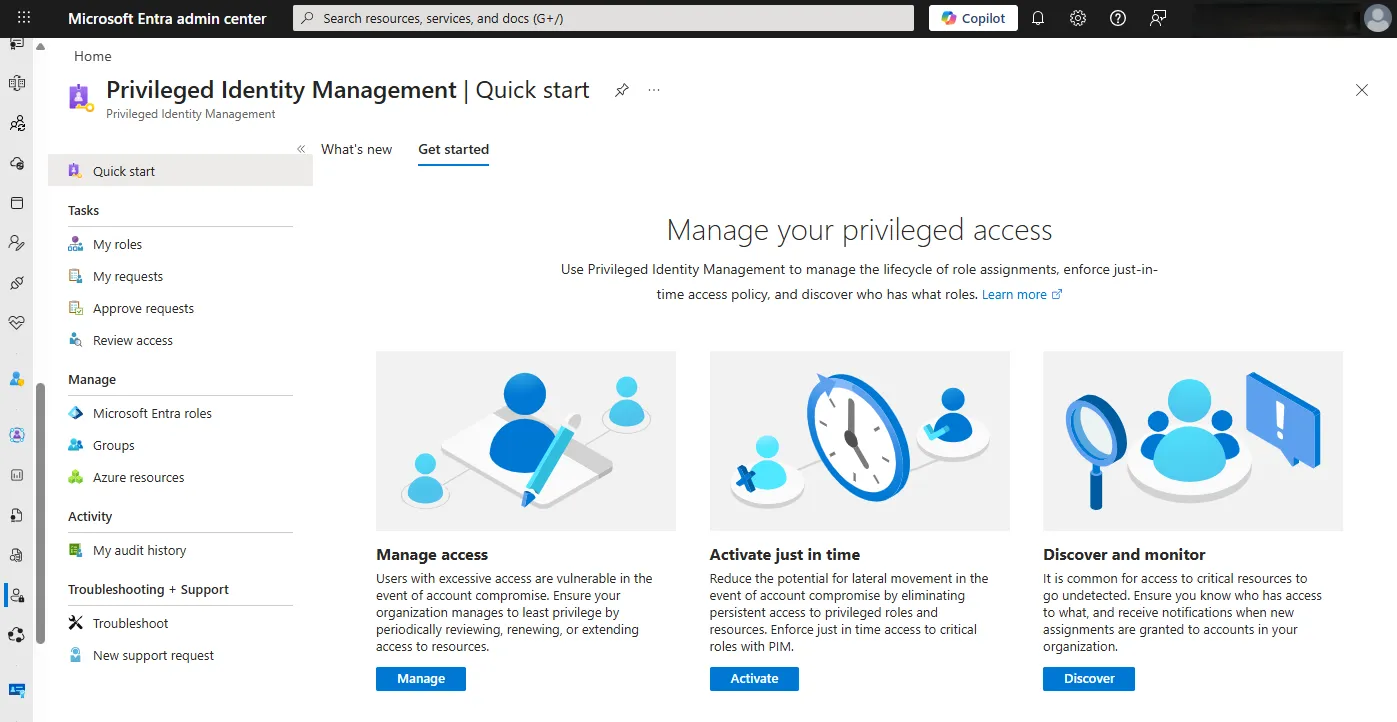
Microsoft Entra ID Governance is a cloud-based identity governance product that includes Privileged Identity Management (PIM) alongside entitlement management, lifecycle workflows, and access reviews. PIM mitigates excessive, unnecessary, or misused access to important resources through time-based and approval-based role activation for users and groups.
The governance capabilities support cloud and on-premises apps, integrate with Microsoft apps and hundreds of non-Microsoft apps, and automate access request workflows, assignments, reviews, and expiration. Entra ID Governance is also part of the Microsoft Entra Suite.
Key features include:
- Privileged Identity Management: Requires users or groups to activate privileged roles for a limited time and, where configured, with approval, instead of holding permanent assignments.
- Entitlement management: Automates access request workflows, assignments, reviews, and expiration. Access decisions can be delegated to business groups, and approvals for customary resource access can be automated.
- Access reviews: AI-driven and standard reviews check whether users and guests still need their access, using self-assessment or assigned reviewers on a recurring schedule.
- Lifecycle workflows: Creates identities from HR system signals and removes access automatically when employees leave.
- Separation of duties: Prevents conflicting access, such as the same person holding both app administrator and app user rights.
- Guest and partner access: Applies the same entitlement management and access review controls to partners, suppliers, and guests.
Limitations (as reported by users on PeerSpot):
- Policy granularity: Users would like more granular control over security policies.
- On-premises dependency: Some environments still need an on-premises Active Directory server for certain required services.
- Reliability: The solution is not always fully reliable.
Source: Microsoft
Traditional PAM Platforms with Credential Vaulting and Session Management
5. BeyondTrust Password Safe

Best for: Enterprises needing vaulting, rotation, and session control in one
Strengths: Unifies credentials, secrets, SSH keys, and live session control
Things to consider: Initial deployment and policy design need significant planning
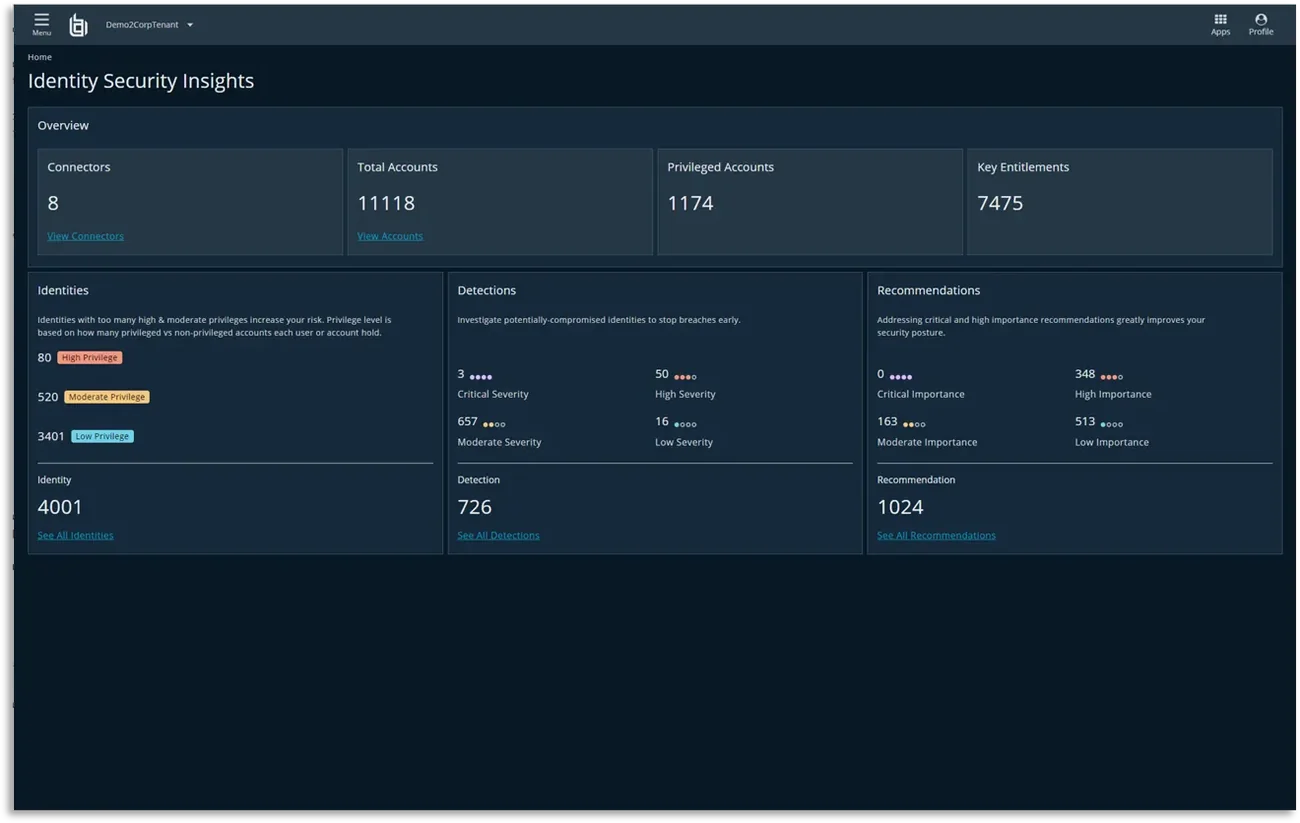
BeyondTrust Password Safe combines privileged account and session management (PASM) and secrets management in one solution. It discovers, onboards, vaults, and rotates privileged passwords, DevOps secrets, SSH keys, certificates, API keys, and tokens for people, machines, and AI agents, and logs and monitors privileged sessions.
Password Safe can be deployed in AWS or Azure, or as a virtual (vSphere, Hyper-V) or physical appliance, and is part of the BeyondTrust Pathfinder Platform, which brings BeyondTrust products under a single login. It integrates with IAM, SIEM, RPA, and ITSM platforms such as SailPoint and ServiceNow.
Key features include:
- Automated discovery and onboarding: Scans and profiles applications and assets, including SSH keys, and automatically onboards privileged, shared, and service accounts.
- Credential and password management: Controls access to privileged passwords, DevOps secrets, and SSH keys, and automates password rotation.
- Secrets and application password management: Secures secrets used in DevOps tools and CI/CD processes, removes hard-coded credentials from scripts, files, and code, and controls access through REST APIs.
- Privileged session management: Logs and monitors all privileged sessions, and lets administrators record, lock, or terminate suspicious sessions.
- Just-in-time access control: Evaluates the day, date, time, and location of a user, machine, or AI agent request across on-premises, hybrid, and multi-cloud environments.
- Zero Trust Enclave Gateway: Brokers all privileged sessions through a gateway so no end user or machine identity connects directly to protected resources.
- Auditing and analytics: Provides an audit trail, session reporting, and credential analytics through the BeyondInsight console.
Limitations (as reported by users on G2):
- Deployment planning: Initial deployment and custom policy design require significant planning and hands-on time.
- Troubleshooting documentation: Some known issues are not documented, so support tickets are needed to resolve them.
- Reporting: The reporting capabilities can be challenging to work with.
- Setup complexity: Multiple users describe the setup as complex.
- Error messages: Error and information banners do not always help diagnose problems.
Source: BeyondTrust
6. Delinea Secret Server

Best for: Organizations needing an enterprise vault with session monitoring
Strengths: Discovery, automated rotation, and check-in/out workflows
Things to consider: Documentation can be hard to navigate for specific answers
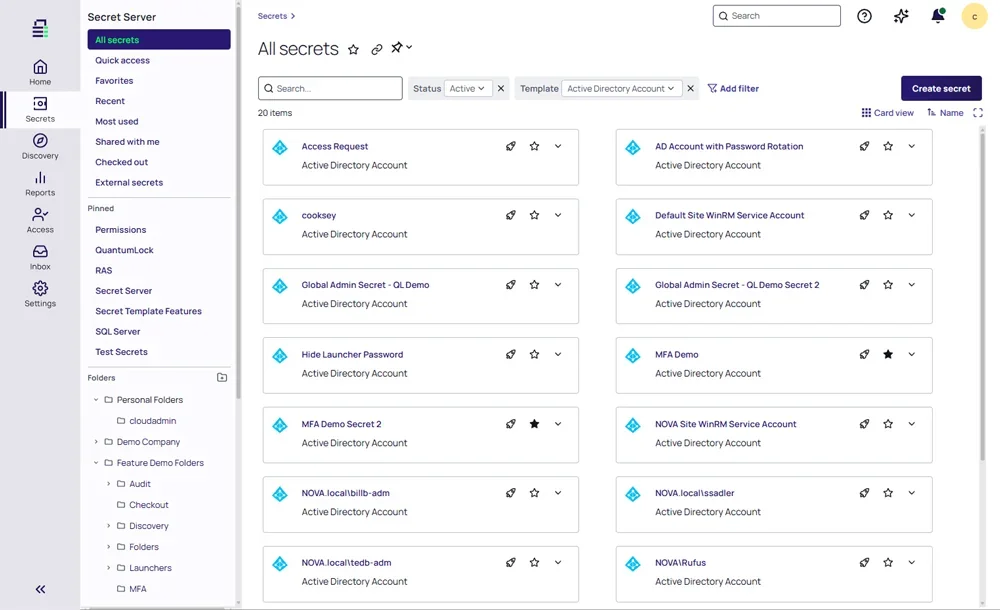
Delinea Secret Server is an enterprise-grade PAM vault that identifies, secures, monitors, and audits privileged accounts, including AI, machine, service, application, admin, and root accounts. It stores credentials in an encrypted vault, automates discovery and password rotation, and records privileged sessions with AI-driven session analysis.
Secret Server is the foundation of the Delinea Platform, which centralizes management of privileged credentials for human, machine, and AI identities from a single platform. It is available as an enterprise vault with a 30-day free trial.
Key features include:
- Encrypted vault: Stores privileged account credentials in an encrypted vault that enforces strong password management controls.
- Comprehensive discovery: Automatically identifies and inventories privileged accounts across the environment and brings them under central management.
- Automated credential management: Handles password creation, rotation, and expiration with out-of-the-box templates, and enforces check-in/out, role-based access, and approval workflows.
- Advanced session monitoring: Records and monitors every privileged session, with detailed audit trails, customizable reports, and AI-driven session analysis.
- Resilient Secrets: Replicates credentials so they remain available during outages.
- Centralized control: Manages privileged credentials for human, machine, and AI identities through the Delinea Platform.
Limitations (as reported by users on G2):
- Documentation: Some documentation is difficult to sort through to find answers.
- Learning curve: New users need time to learn the solution.
- Minor bugs: Users report small frictions and bugs.
- User experience: The interface has room for UX improvement.
Source: Delinea
7. ManageEngine PAM360

Best for: IT teams that want PAM integrated with other ManageEngine tools
Strengths: Combines PAM, PEDM, CIEM, and certificate lifecycle management
Things to consider: Dense menus and many configuration options add a learning curve
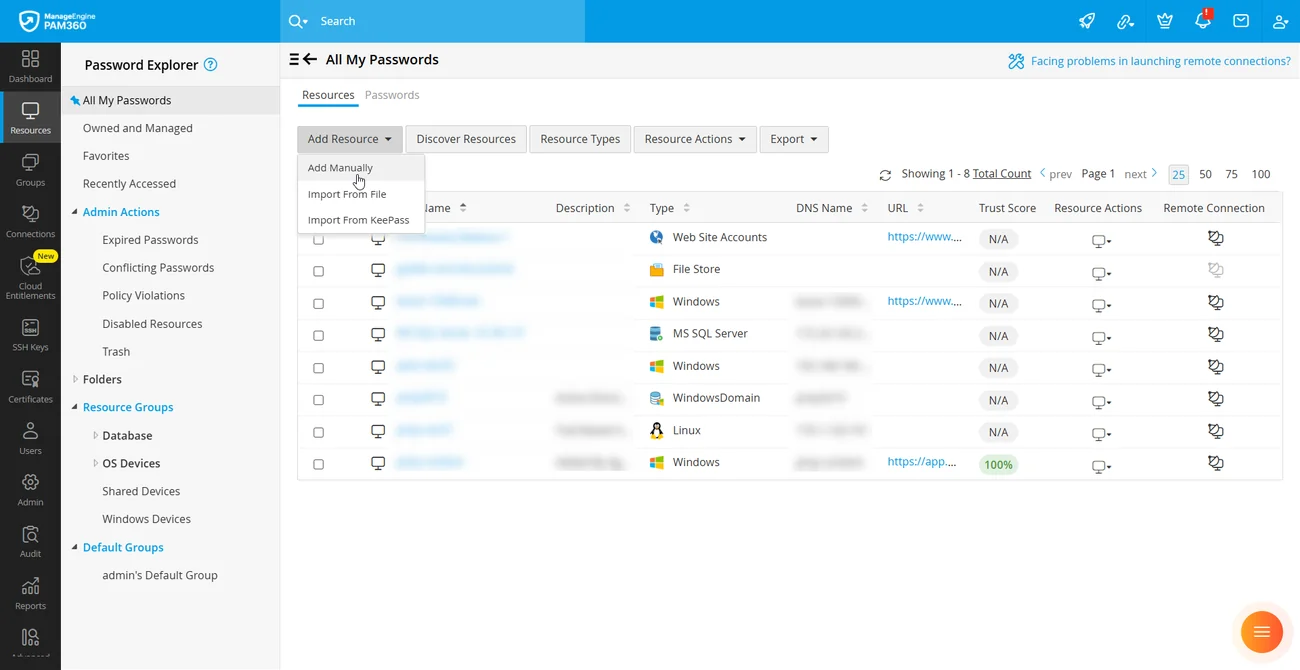
ManageEngine PAM360 is a unified PAM platform for human and machine identities that covers credential vaulting, governance, session monitoring, and auditing. It controls access to endpoints, cloud environments, workloads, databases, applications, and network infrastructure with context-aware, dynamic access controls.
PAM360 is built on ManageEngine’s converged identity security platform, which connects PAM with IGA, access management, ITDR, CIEM, PKI management, and ISPM. It is available on-premises, with a cloud edition in beta.
Key features include:
- Privilege elevation and delegation management: Uses just-in-time privilege elevation, application and command controls, and least privilege workflows for access provisioning.
- Cloud infrastructure entitlements management: Monitors cloud entitlements and remediates risks from excessive privileges and policy violations.
- Endpoint privilege management: Restricts access to critical applications with just-in-time access, child process control, and local administrator rights management.
- Non-human identity governance: Centralizes governance for service accounts, secrets, keys, certificates, workloads, containers, and automated processes.
- Privileged threat detection and response: Uses AI and ML-driven anomaly detection to flag suspicious user activity patterns.
- Key and certificate lifecycle management: Manages SSH keys and SSL/TLS certificates to prevent service downtime and impersonation.
- Privileged task automation and vendor access: Orchestrates approvals, execution, and audit trails for privileged workflows, and governs vendor and partner access through joiner-mover-leaver processes.
Limitations (as reported by users on SoftwareReviews):
- Learning curve: Dense menus and a large number of configuration options make the tool slow to learn.
- Pricing: Pricing is high relative to the features provided.
- Modern authentication: The product lags in newer options such as passwordless authentication.
Source: ManageEngine
Conclusion
Selecting the right privileged access management solution depends on your organization's infrastructure complexity, security priorities, and operational requirements. Whether moving toward zero standing privileges with just-in-time authorization or enhancing existing vault-based controls, the right platform should reduce attack surface and streamline access administration. Carefully evaluate each architectural approach and deployment model to ensure seamless integration across human, machine, and AI identities.